
-
 Measured Number Column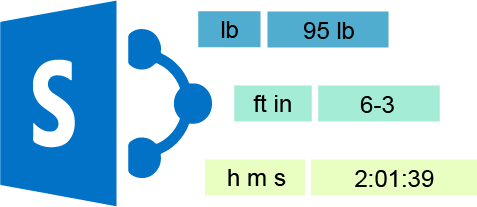
-
Excel Import

-
Column/View Permission

-
Batch Check In

-
Data Integration Pack

Star Products for SharePoint On-Premises

Column View Permission
Enhance permission management in SharePoint on-premises by setting up column and view permissions, increasing data security and ensuring only authorized access to specific information.

Cascaded Lookup
Create cascading fields and apply filters to data retrieved from different sites within a SharePoint site collection.

Batch Check In
Upload and check in multiple documents at once to enhance productivity and streamline document management processes.

Alert Reminder Boost
Automatically send customized alerts when an item is created, modified, or deleted, and dispatch automated reminder emails for upcoming tasks and deadlines.

AD Information Sync
Automatically synchronize information bi-directionally between SharePoint and Active Directory for seamless data integration and consistency.

Classifier
Document management system for SharePoint on-premises allows editing, organizing, discovering, sharing, and auditing for effective content management and collaboration.
Apps for Microsoft Office 365

Column Permission
Manage your SharePoint Online list by setting columns as invisible or read-only to control data visibility and modifications.

Excel Import
Import data directly from your Excel spreadsheet into a SharePoint Online list with ease and efficiency.

Bulk Zip & Unzip
Compress or extract multiple files at once in SharePoint Online Document Library, enhancing efficiency.

Calendar Rollup
Overlay and organize multiple color-coded calendars in one centralized location on SharePoint Online for easy tracking and scheduling.

Cascaded Lookup
Establish a parent-child relationship between columns in SharePoint Online to easily filter and retrieve data from various sites within a site collection.

List Collection
Collect and organize documents or items from various SharePoint Online sites into a single view for streamlined access and management.
Bestselling Product
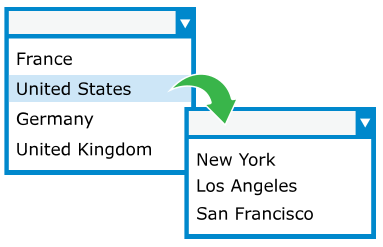
SharePoint Cascaded Lookup greatly enhances default SharePoint lookup functionality so that you can efficiently reference data across sites and maximize data reuse. With it, you can have cross-site lookup to broaden your lookup scope,cascading or filtered lookup to trim down your selections, and bi-directional lookup between lists to view and maintain connected items from both sides. Table view will give you a CRM-like picture of referenced and additional data, helping you work with mass data. This tool also supports functions such as auto completion, quick item creation, support for calculation and icon identification. Try it free for 30 days.
Download 30-day trial NOW
We make your SharePoint life easier
BoostSolutions is trusted by more than 10,000 companies worldwide