
- BoostSolutions
-
Products
-
- Microsoft Teams
- HumanLike Alert Reminder
- View All Apps
- Pricing
- Support
- Company
Check in multiple SharePoint documents simultaneously and modify their properties in a single action.
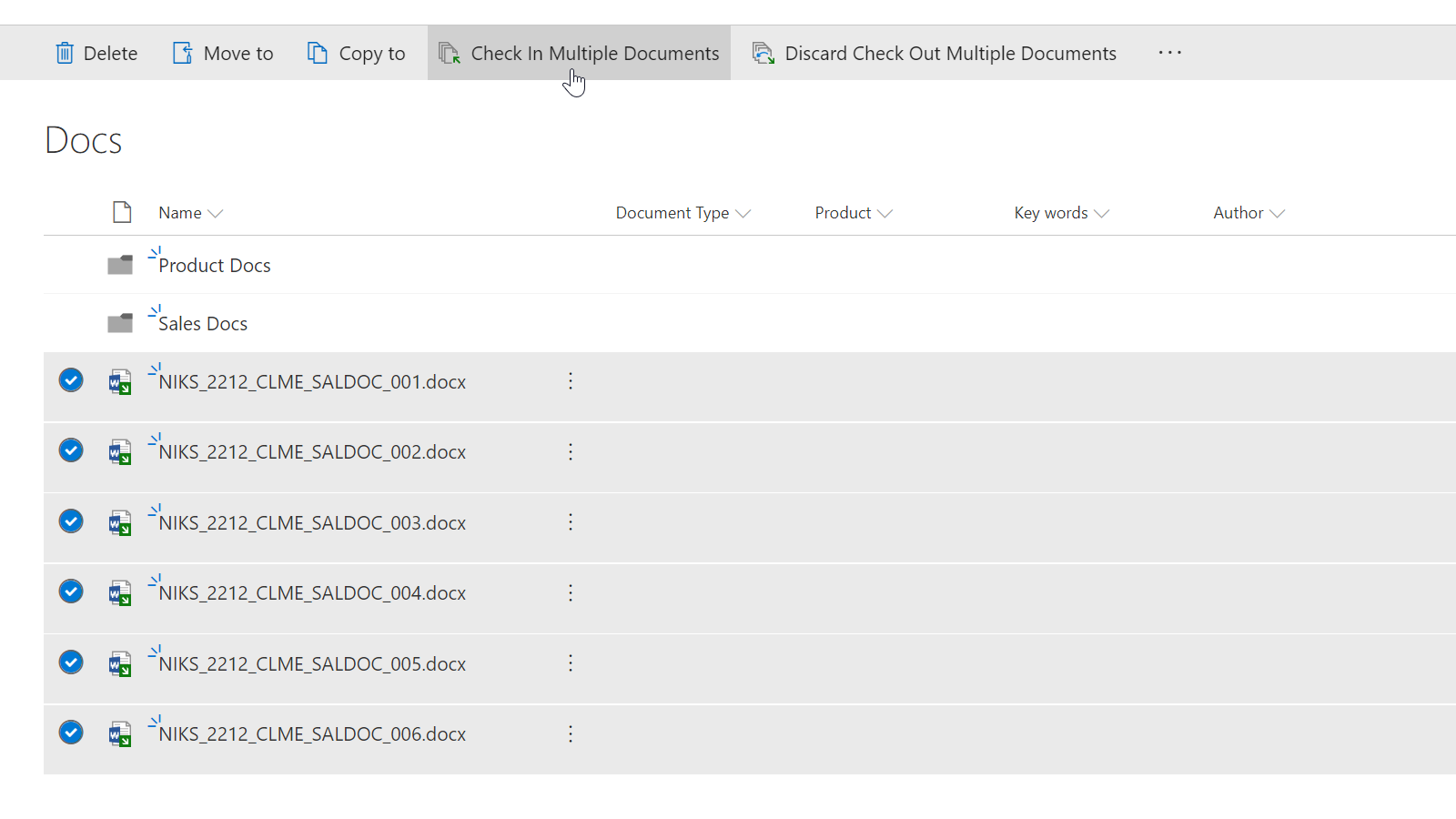
Maximize your SharePoint efficiency with the Batch Check In feature. This powerful tool streamlines your workflow by enabling simultaneous check-ins of large groups of previously uploaded or checked-out documents, thus eliminating the time-consuming process of individual file check-ins. Furthermore, Batch Check In extends its support to concurrent check-ins of checked-out files, even those nested in multiple folders and subfolders.
Batch Check In is operational in both SharePoint classic and modern experiences.
Enhance your SharePoint proficiency with Batch Check In. This dynamic feature empowers users to check in a multitude of documents and modify their properties in a single operation. What's more, users can effortlessly alter the content type and edit all categories of SharePoint columns, further simplifying the document management process.
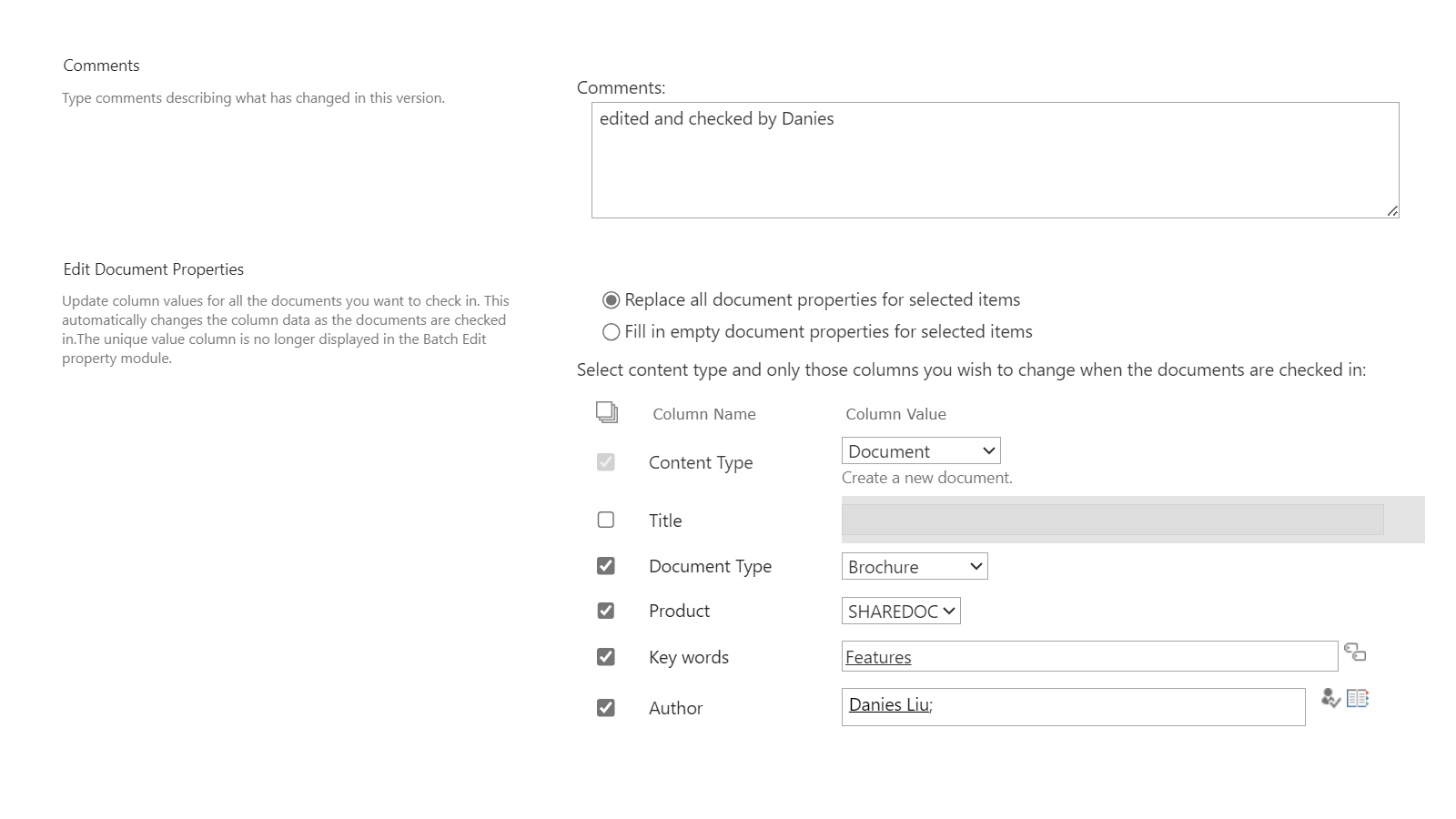
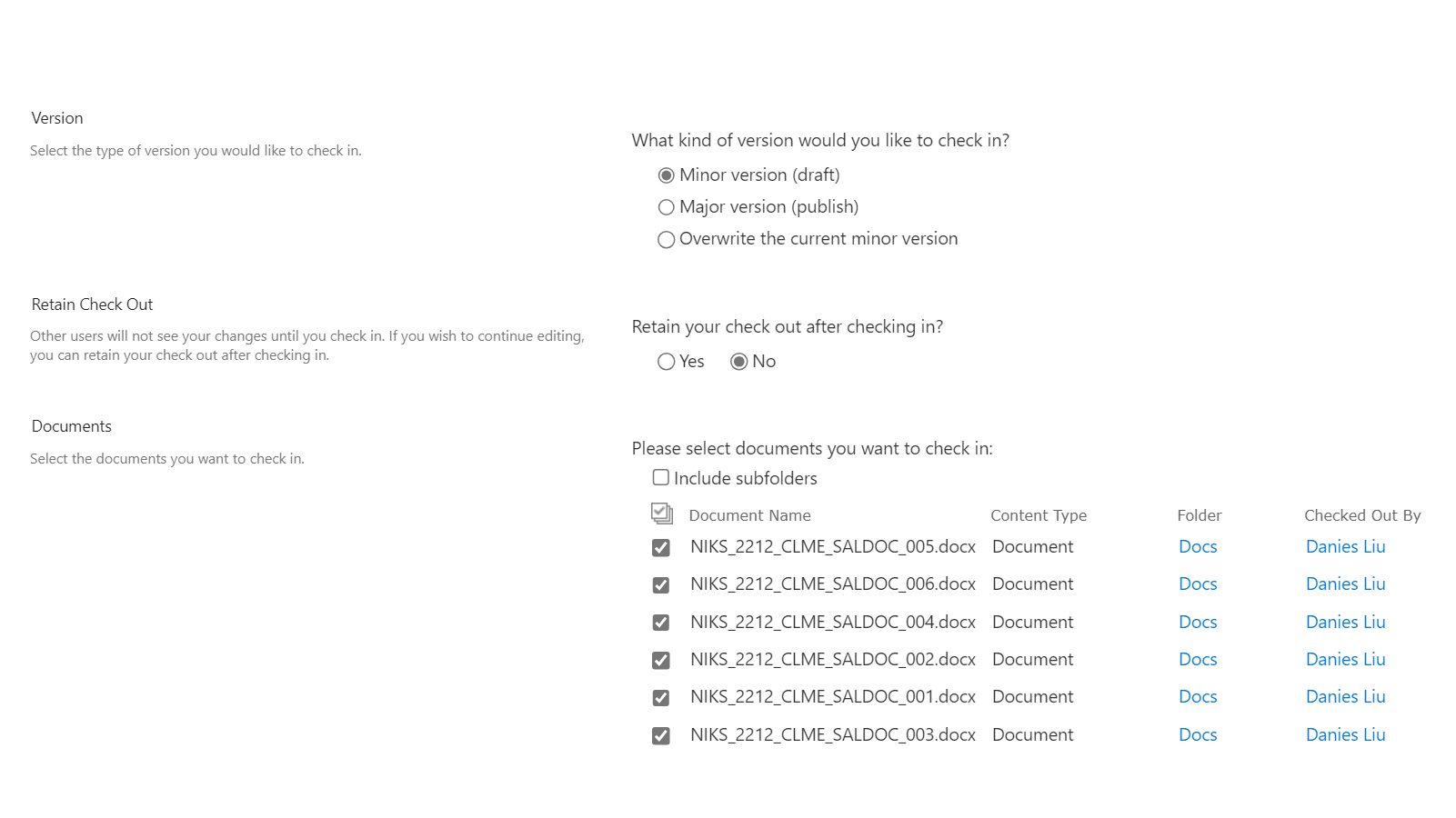
Batch Check In integrates seamlessly with SharePoint versioning, offering users the flexibility to bulk check in documents as either minor or major versions, or even overwrite the existing version. This harmonious compatibility enhances version control and document management within SharePoint.
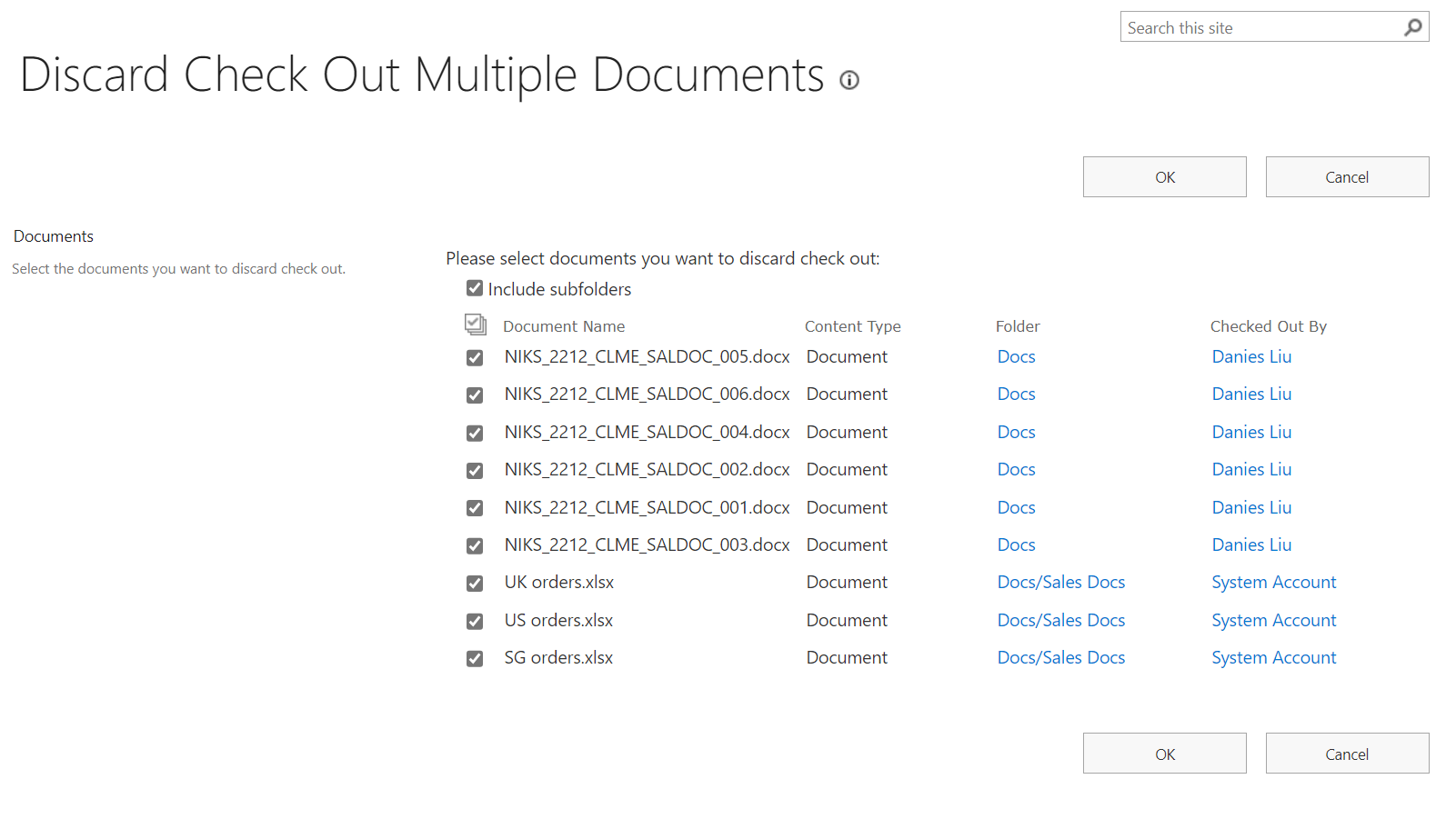
Batch Check In offers the convenience of discarding multiple checked-out files concurrently, eliminating the manual task of discarding each document individually. This feature enhances productivity and efficiency within SharePoint.
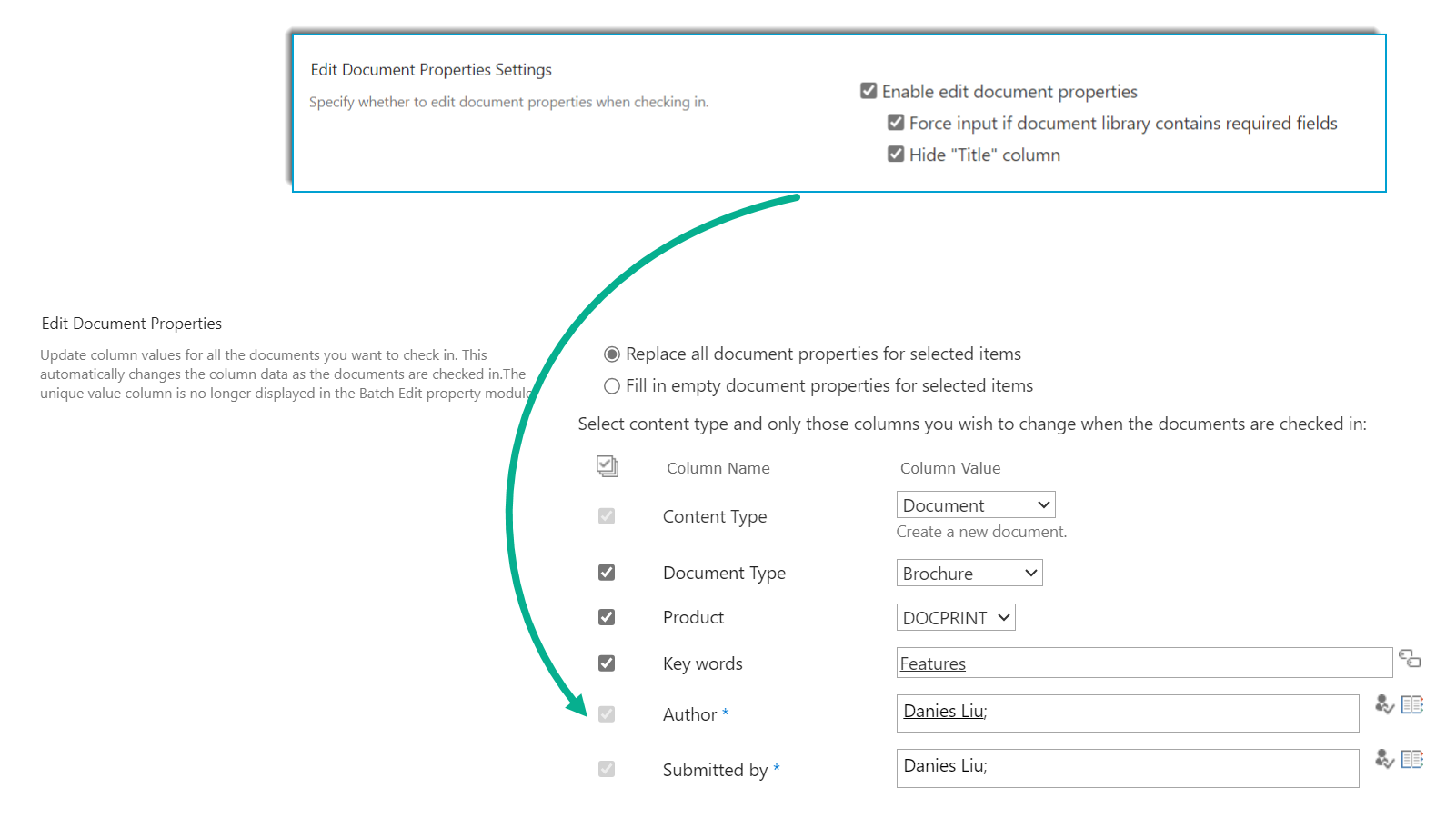
Batch Check In upholds the same validation for required fields as SharePoint, necessitating users to input values during the document check-in process. This feature ensures data consistency and integrity within SharePoint.
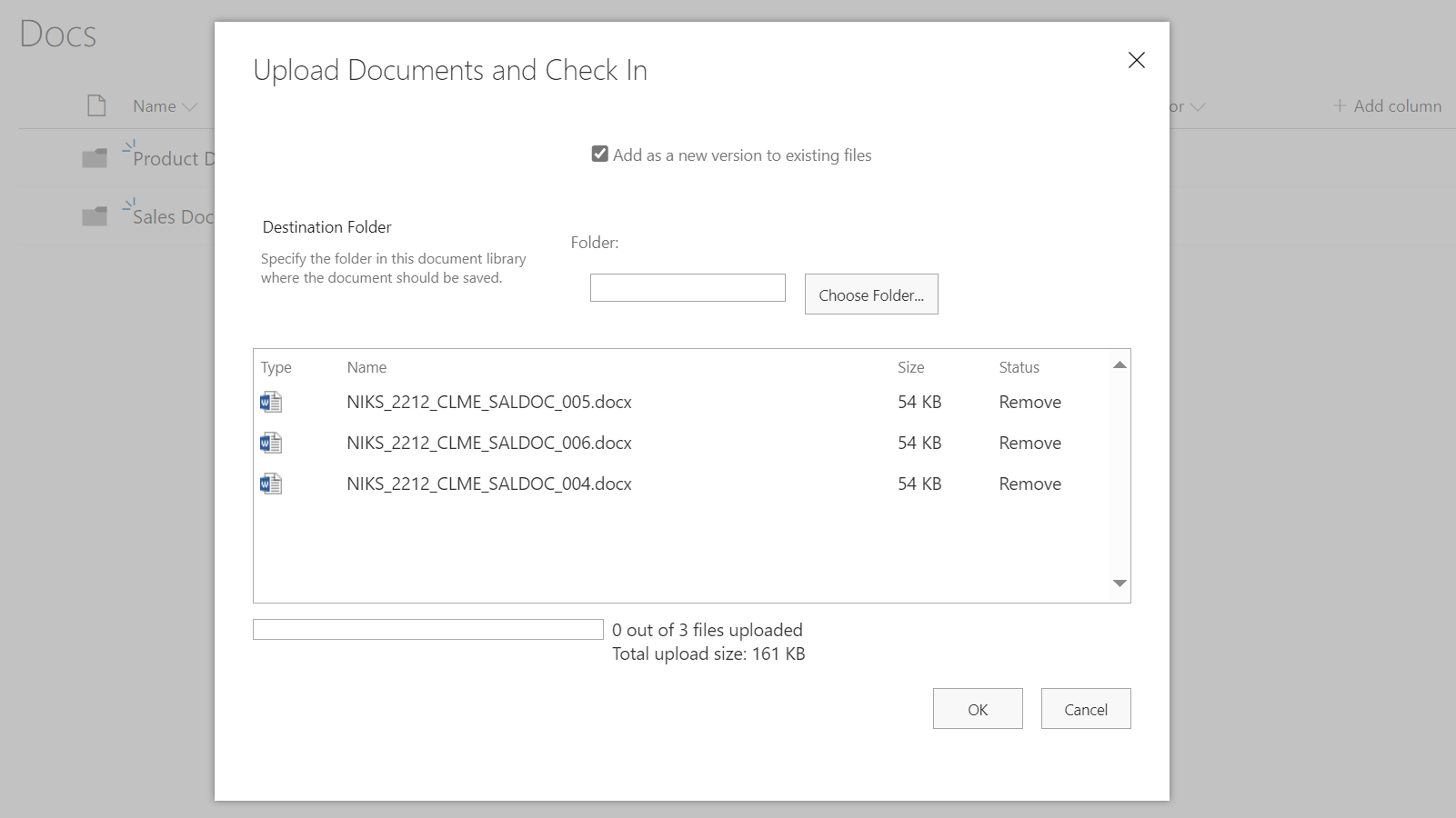
Batch Check In enhances SharePoint functionality by directing users to the Bulk Check In page post uploading a group of documents. This feature not only expedites the check-in process of uploaded documents but also eliminates additional steps, thereby boosting productivity within SharePoint.
Explore BoostSolutions' product user guides, releases, tutorials, and more.
Gain a deep understanding of the product's functionality and learn how to utilize it in your SharePoint server.
Read