
- BoostSolutions
-
Products
-
- Microsoft Teams
- HumanLike Alert Reminder
- View All Apps
- Pricing
- Support
- Company
Create cascading fields and apply filters to data retrieved from different sites within a site collection.
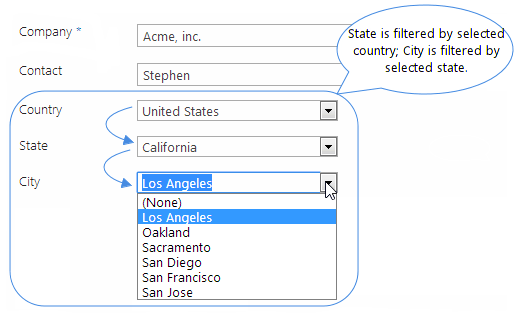
Create cascading drop down fields (e.g. Country ->State ->City) by building parent-child relationships between columns so that values in the child field get filtered or scoped according to what was selected in the parent field, thus narrowing down your choices.
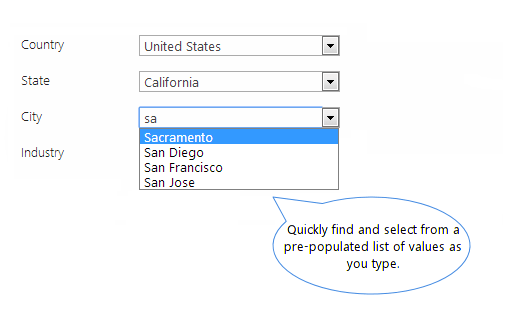
Autocomplete allows users to quickly find and select from a pre-populated list of values as they type, leveraging both searching and filtering.
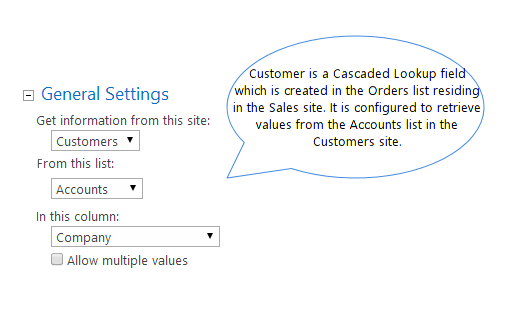
Cascaded Lookup provides you with a cross site function that gives you the ability to get data from different sites within the same site collection, thus broadening your lookup scope.
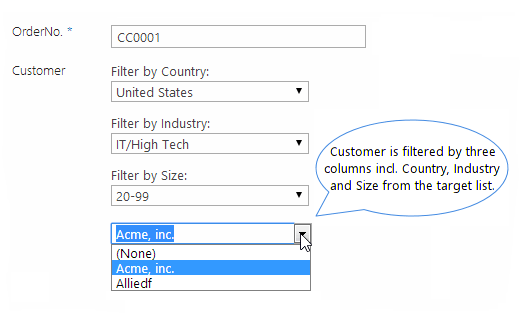
Filter retrieved data by one or more column(s) from the target list. This is a quick and easy way to filter a large data set, helping users pinpoint data they need quickly.
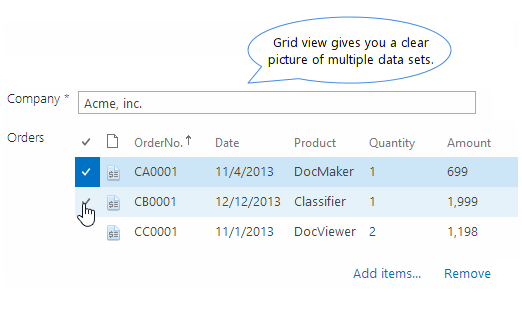
Four display styles are available to show retrieved values. They include: dropdown list, left <-> right box, grid view and item picker. Grid view is especially useful when handling a large set of values.
Automatically create a reverse lookup field when creating a Cascaded Lookup column. This enables you to build a bi-directional connection between items in the target and source list.
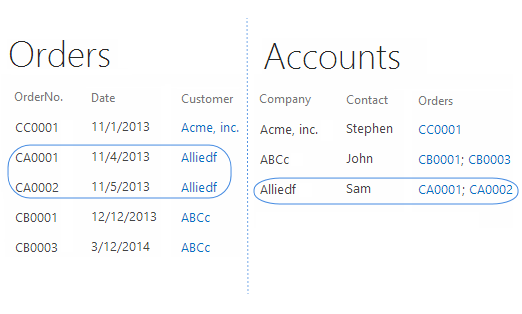
Additional features to enhance your SharePoint lookup experience:
Select a pre-defined view in the target list to filter items presented in the lookup field. This helps refine the values for selection.
Out of the box SharePoint Lookup fields cannot be used for calculation. Cascaded Lookup column can be used in the "Calculated column" formula to perform calculations.
Add new items to the target list using the "Create new item" link directly from the current item form, which accelerates your editing process.
Cascaded Lookup column provides the option to filter out duplicate values and display only one instance, ensuring more effective value retrieval.
Display relevant columns from the target list alongside the retrieved values on the Item View/Edit form, making it easier to view extra information.
Look up values from various columns: Single line of text, Number, Date and Time, Calculated, and some system reserved fields such as Created, Modified and Version.
Retrieve values from the "Name" field of a document library, allowing users to download a copy directly by clicking the file name on the Item View form.
Mark Cascaded Lookup columns with ready-made or personalized icons, making columns readily identifiable and pleasing to the eye.
Add additional columns from the target list to display in the source list and change the order of these columns.
Select or use an existing Cascaded Lookup column as reverse lookup field insteading of creating new one.
Explore BoostSolutions' product user guides, releases, tutorials, and more.
Gain a deep understanding of the product's functionality and learn how to utilize it in your SharePoint server.
Read