
- BoostSolutions
-
Products
-
- Microsoft Teams
- HumanLike Alert Reminder
- View All Apps
- Pricing
- Support
- Company
Build intelligent lookup relationships in SharePoint Online with cascading filters, cross-site source lists, and form-friendly data entry. Help users choose only valid values, reduce errors, and keep related data clean across lists and sites.
Free 30-day trial. No credit card required. Deployment takes only minutes.
Standard SharePoint lookup fields become frustratingly difficult to manage when your organization's data follows a strict hierarchy, such as Region > Country > City.
Without cascading filters, users are forced to scroll through endless unrelated choices. This repetitive friction inevitably increases entry mistakes and slows down form completion.
Enforce logical relationships between fields effortlessly. Users only see data that makes absolute sense in the current context, resulting in cleaner forms and a better user experience.
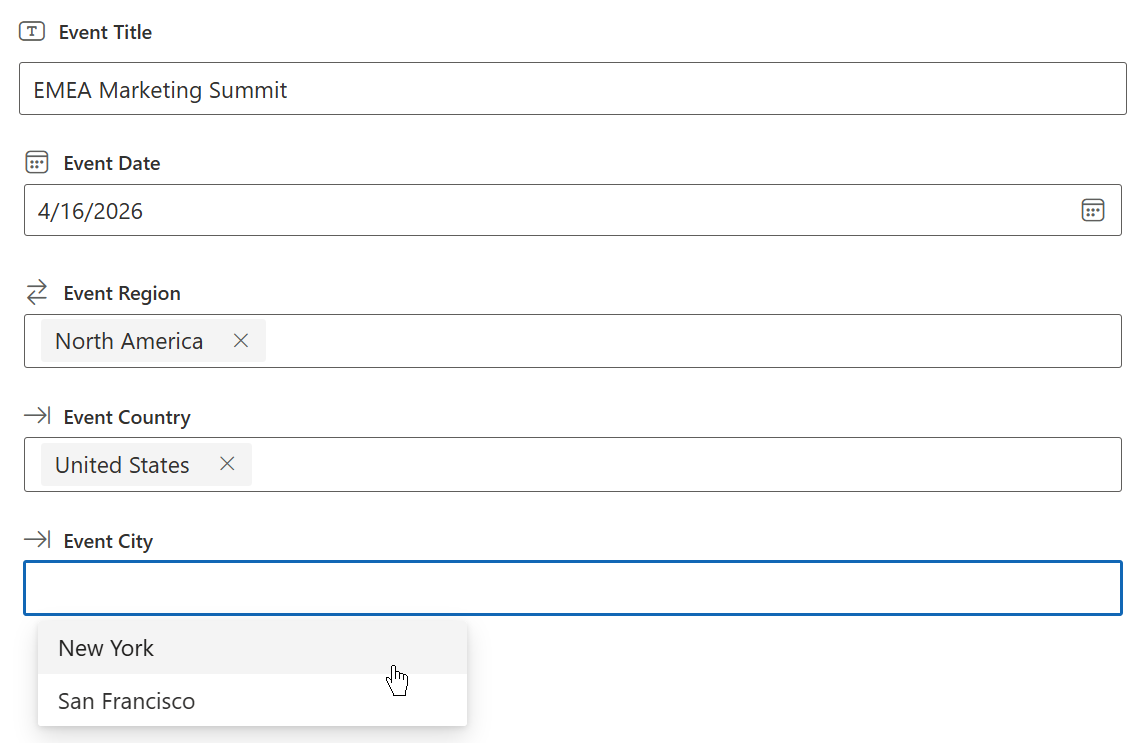
Build intuitive parent-child relationships (e.g., Region > Country > City) within your SharePoint lists. As users select a parent value, child options refresh instantly, ensuring they only see relevant, accurate choices and eliminating manual entry errors.
(The App only works in the SharePoint Online modern experience)
Filter lookup results using one or multiple columns. This feature empowers users to quickly drill down into massive SharePoint lists, saving time and instantly finding the exact data they need without endless scrolling.
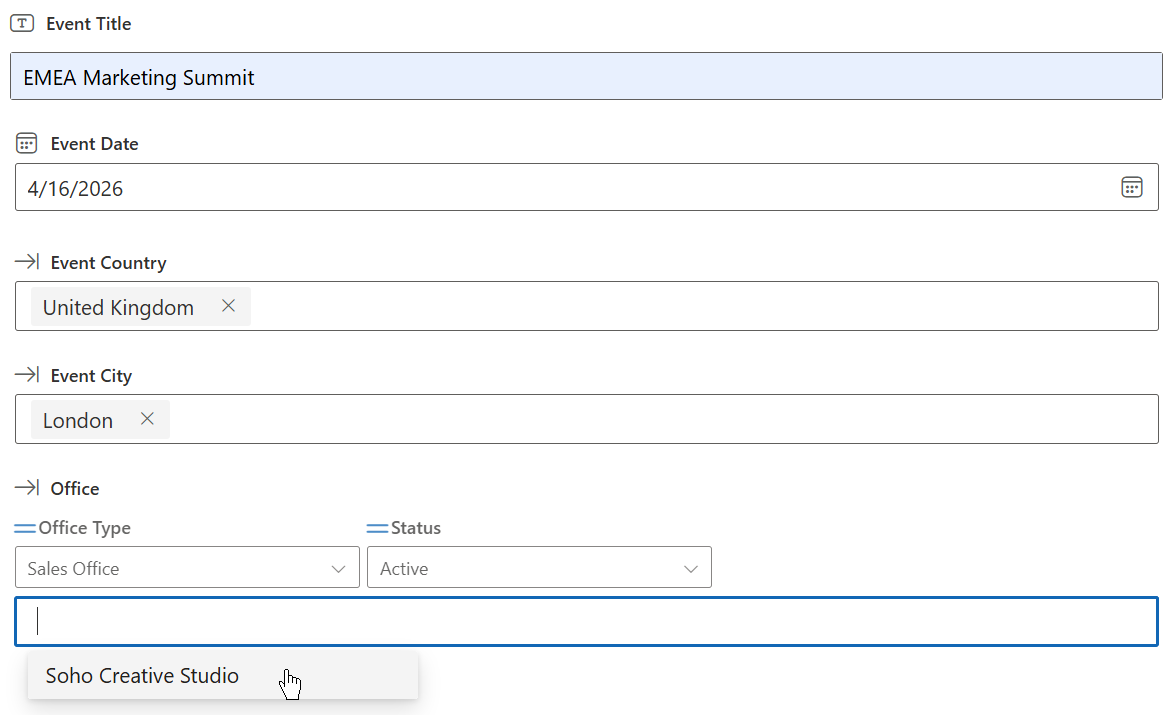
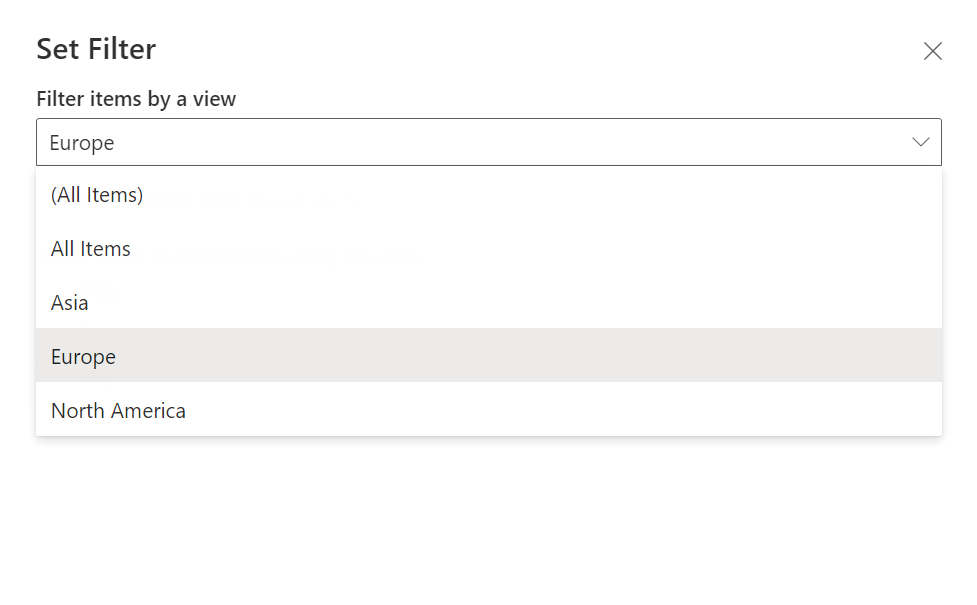
Limit lookup options strictly to pre-defined SharePoint views. By applying rules like an "Active Offices" view, you prevent users from selecting obsolete or closed records, ensuring clean and reliable data across your organization.
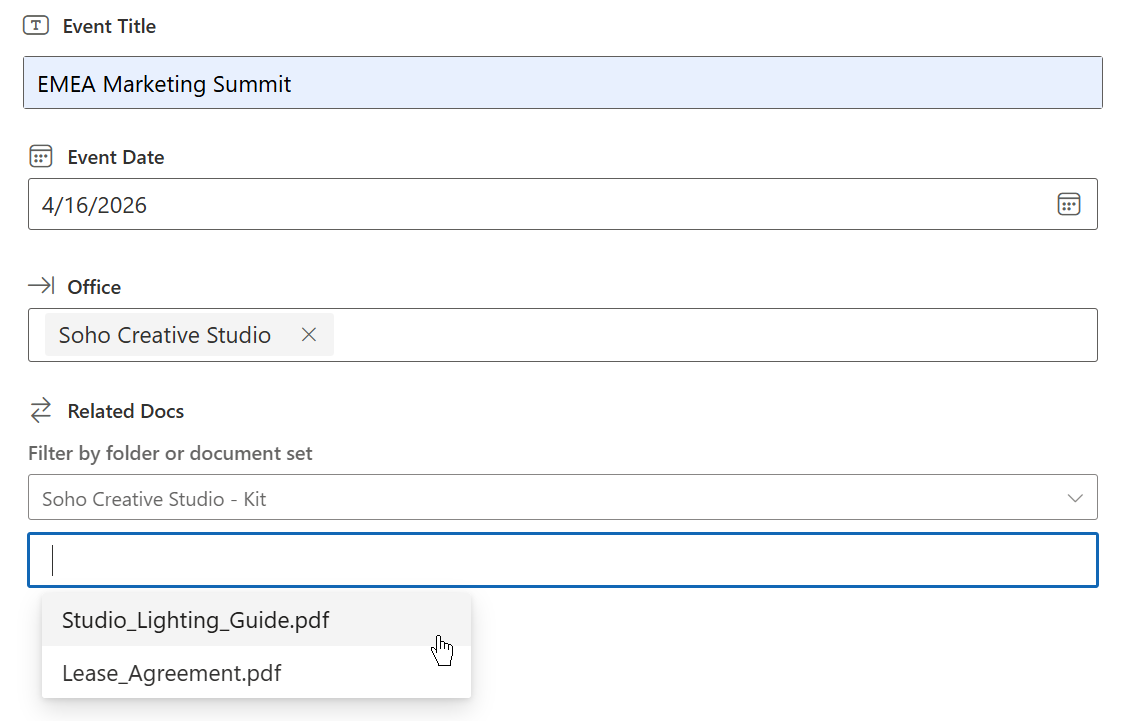
Narrow down your document lookups instantly. By selecting a parent Folder or Document Set, the app automatically filters and displays only the files contained within, helping you find and link the right documents in seconds.
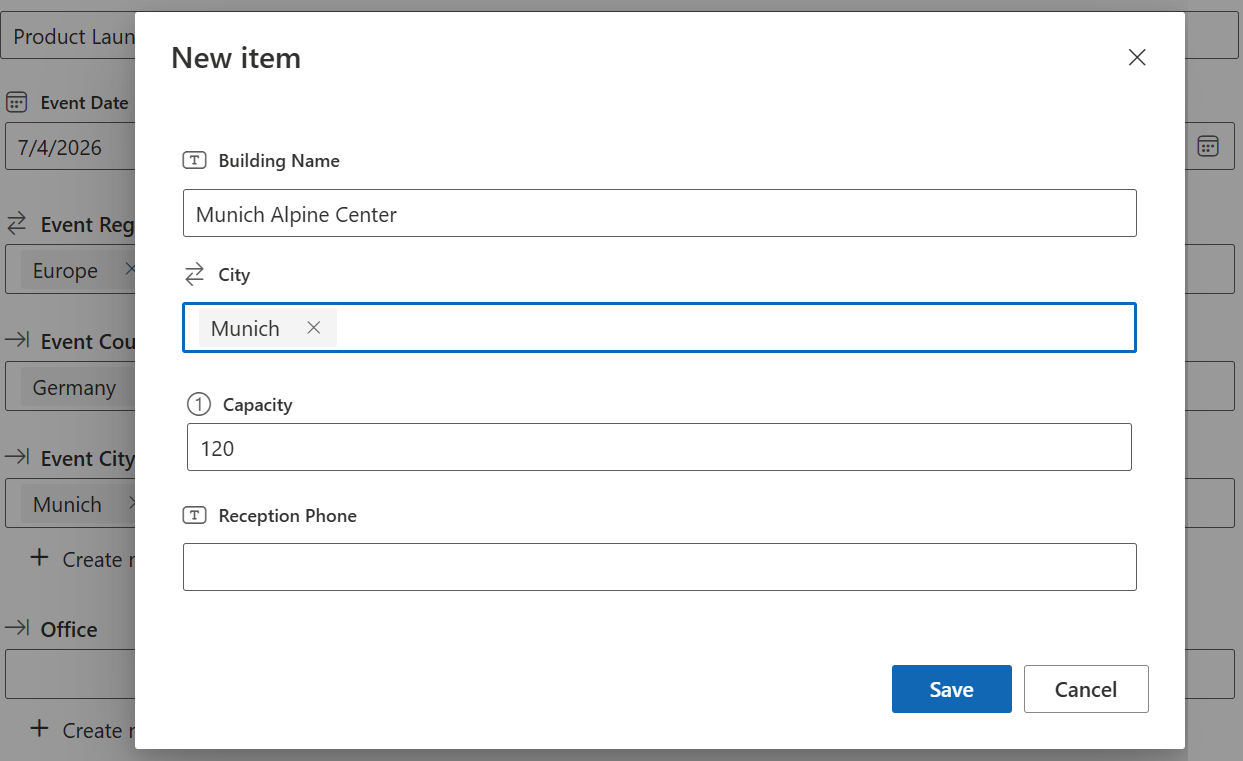
If the value does not exist yet, users can create a new item directly from the form with a simple “Create new item” action. This reduces context switching and speeds up data entry.
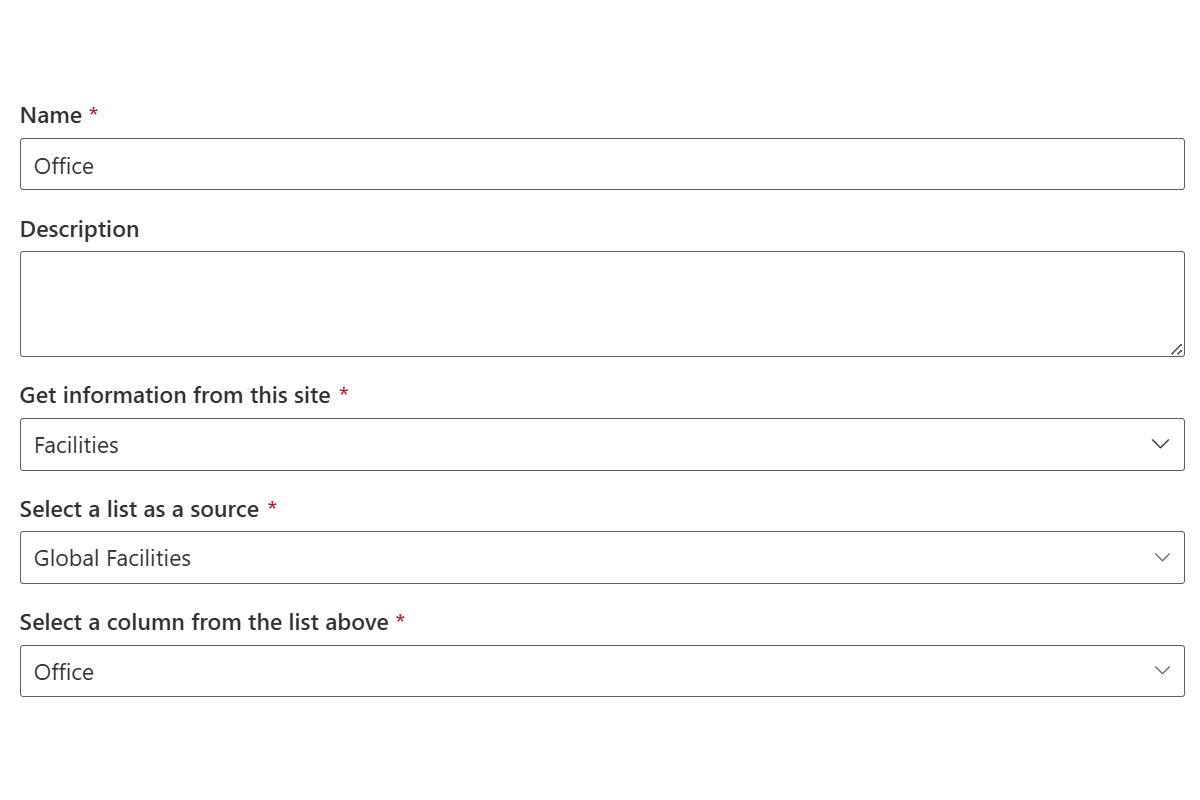
Easily retrieve and link data from different sites within the same SharePoint site collection. Break down traditional site boundaries to centralize information sharing and build a truly connected organizational workspace.
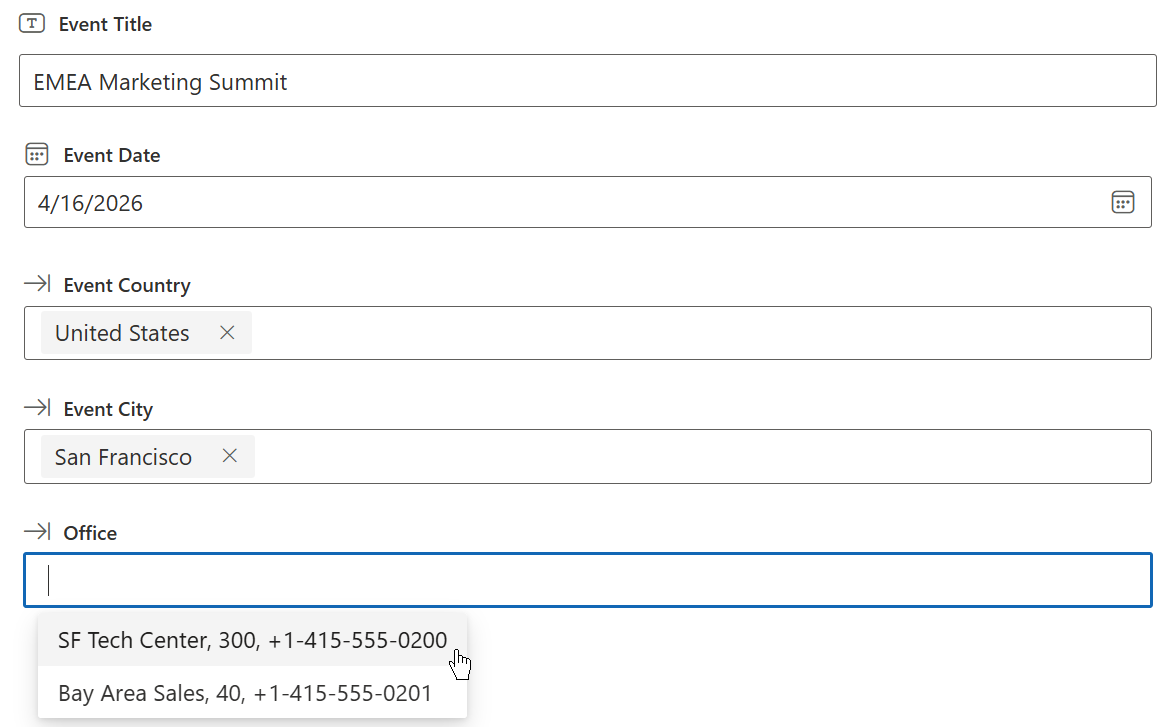
Show useful extra information such as phone numbers, email addresses, or status next to lookup values on View and Edit forms. This helps users make better decisions faster.
Perfect for cross-referencing staff records, branch offices, and regional departments without lists cluttering.
Easily organize complex hierarchical inventories by linking Categories, Subcategories, and Items seamlessly.
Narrow down document lookups by parent Folders or Document Sets to locate and link target files instantly.
Maintain single master list reference data centrally and reuse it reliably across multiple sites in your site collection.
Start with a free trial, then choose a subscription for a single site or your full tenant.
Secure Payment · 30-Day Satisfaction Guarantee · Support included
Explore BoostSolutions product user guides, tutorials, release notes, and more to get the most out of our products.