- BoostSolutions
-
Products
-
- Microsoft Teams
- HumanLike Alert Reminder
- View All Apps
- Pricing
- Support
- Company
Empower your team to bulk check in files, discard unwanted check-outs, and update properties simultaneously in a single click—ensuring a seamless, compliant enterprise collaboration.
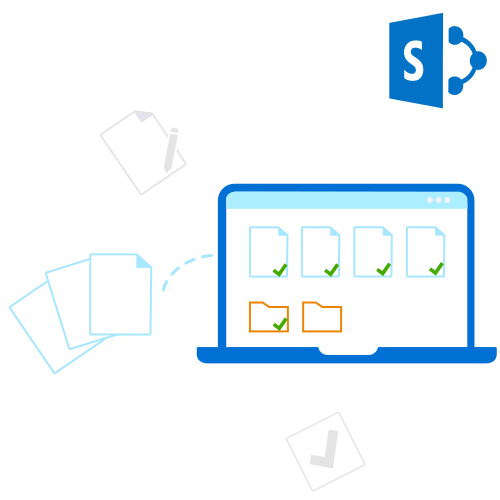
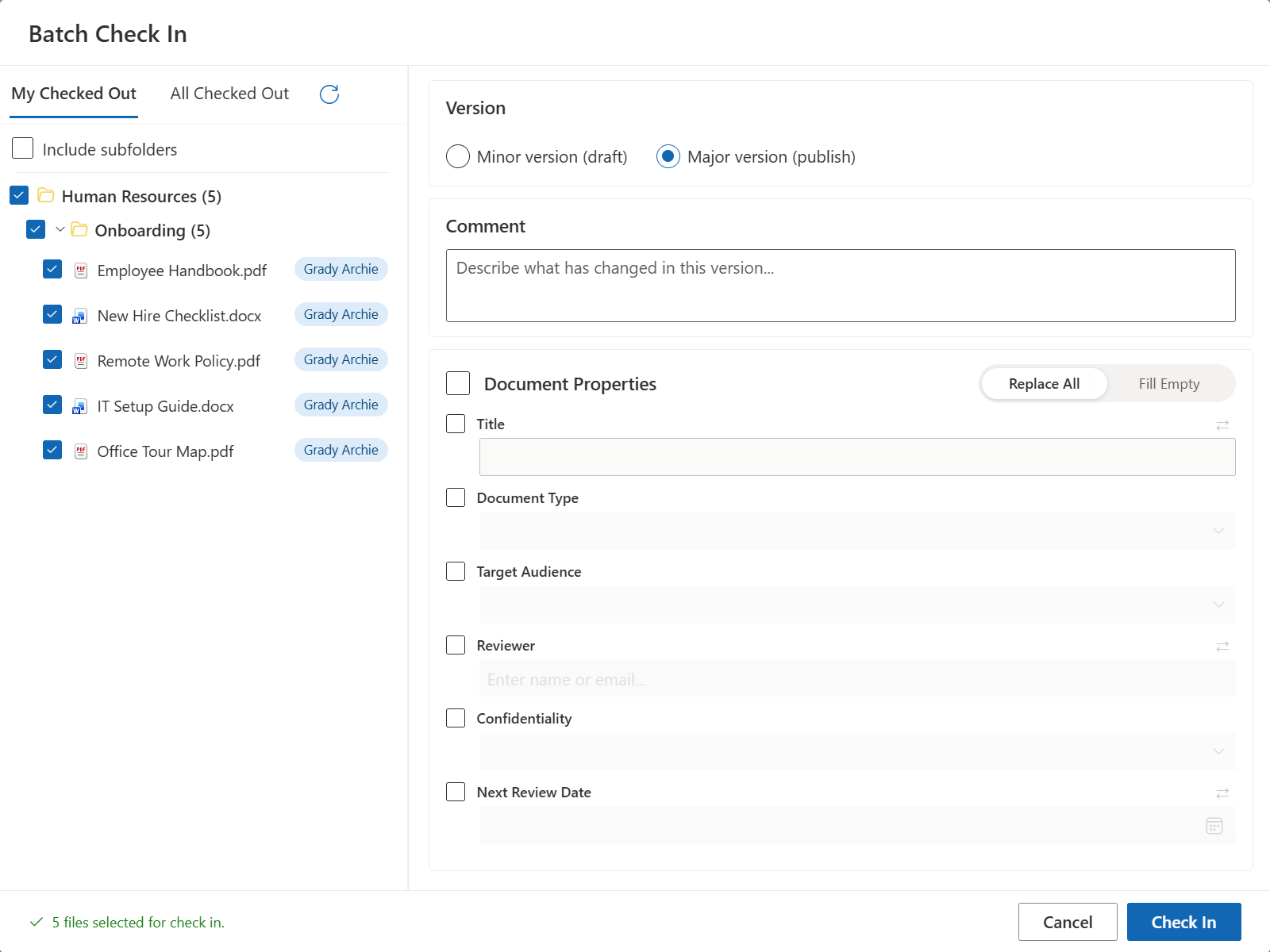
Stop checking in files one by one. Select multiple documents and check them all in simultaneously. Instantly make critical data visible to your entire organization, eliminating collaboration bottlenecks and communication gaps caused by hidden, checked-out files.
Clean up your workspace at scale. Need to revert unwanted edits or undo accidental checkouts? The mass discard feature lets you release checkout locks on hundreds of files at once, safely reverting them to their last published state without cluttering your document history.
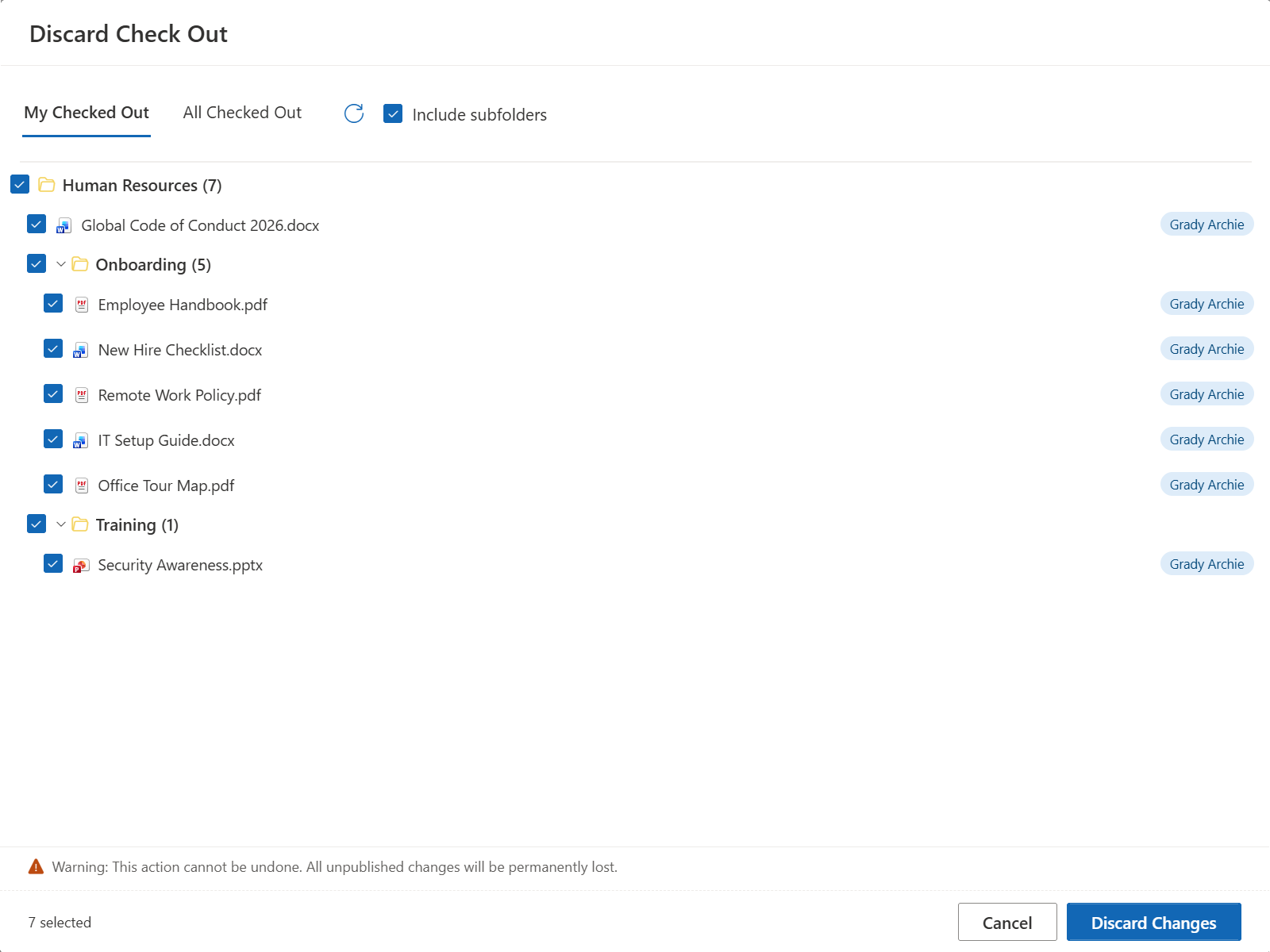
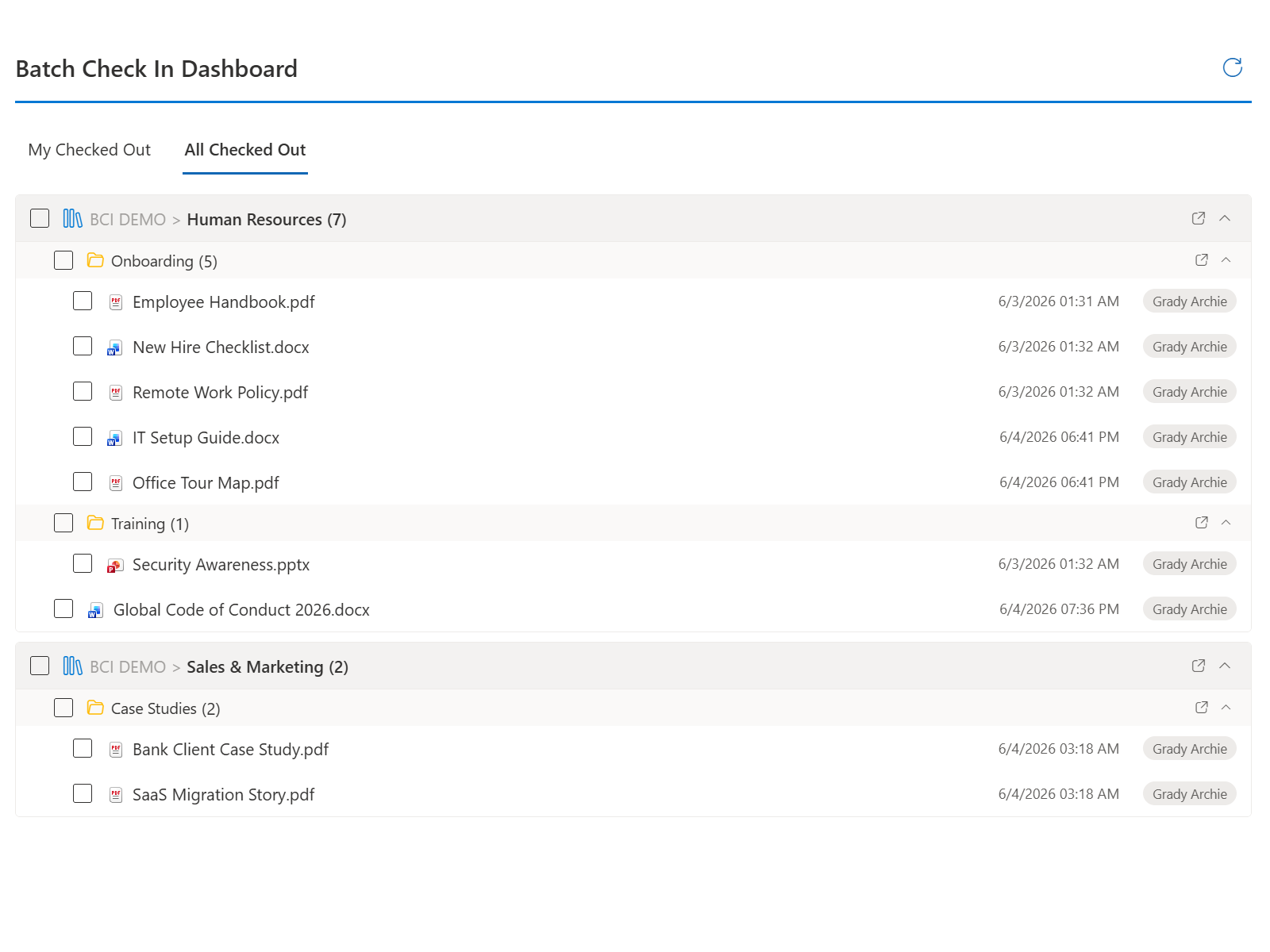
Don't waste time digging through complex folder hierarchies. The app allows administrators to instantly retrieve all checked-out files hidden deep within nested subfolders, bringing them into a single, flat, and centralized view for immediate action.
Accelerate metadata entry during bulk check-in. Automatically map values from one column to dynamically populate another. For example, you can seamlessly sync the File Name to the Title field, or map Created By to the Author field—significantly reducing manual data entry, ensuring data consistency, and eliminating human error.
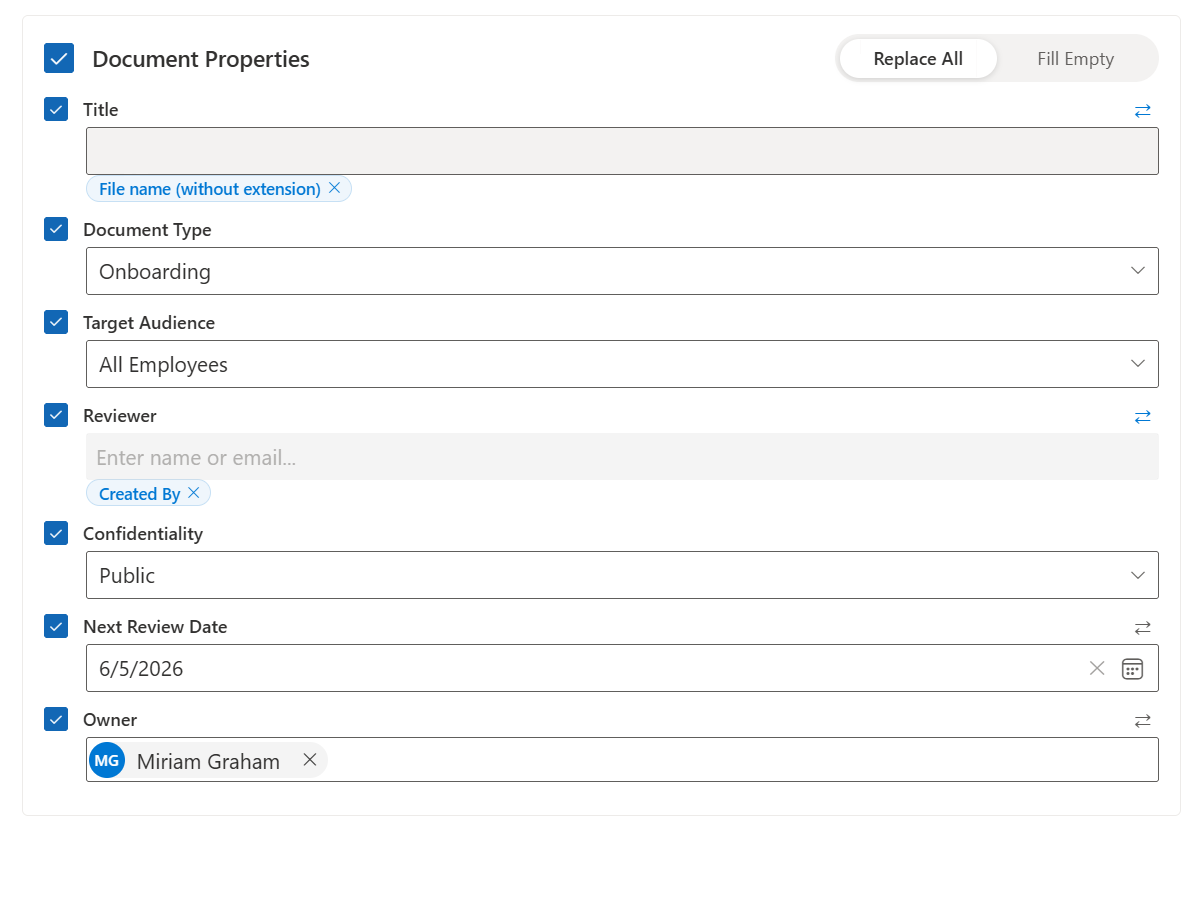
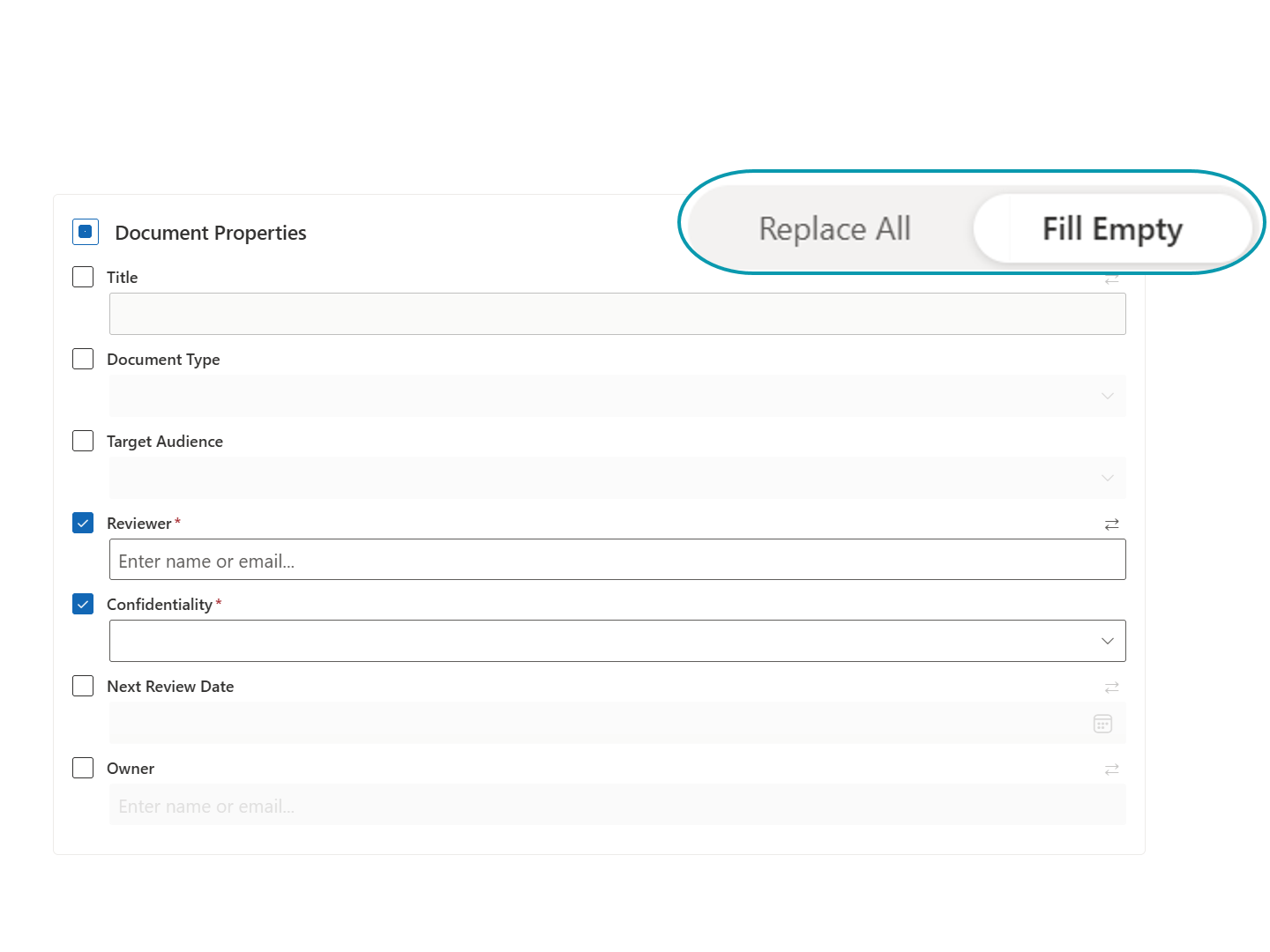
"Replace All" or "Fill Empty” - You are in control. Never worry about overwriting curated corporate data. When addressing mandatory metadata columns, you can choose Replace All to mass-update properties across all selected files or use Fill Empty to intelligently populate missing fields while leaving existing data untouched.