This post describes a step by step process on how to configure incoming e-mail for SharePoint 2010.
SharePoint sites can receive and store e-mail messages and attachments in lists and libraries when incoming e-mail is enabled.
Enviroment:
Server 1:
* Windows 2008 R2 server running Active Directory Domain Services
* Windows 2008 R2 server running SQL 2008 R2
* Windows 2008 R2 server running SharePoint 2010 RTM
Server 2:
* Windows 2008 R2 server running Exchange 2010 RTM
1. Installing and Configuring SMTP Server on the Share point Server
To Install SMTP Server: Click Start > Control Panel > Administrative Tools > Server Manager > Add Features
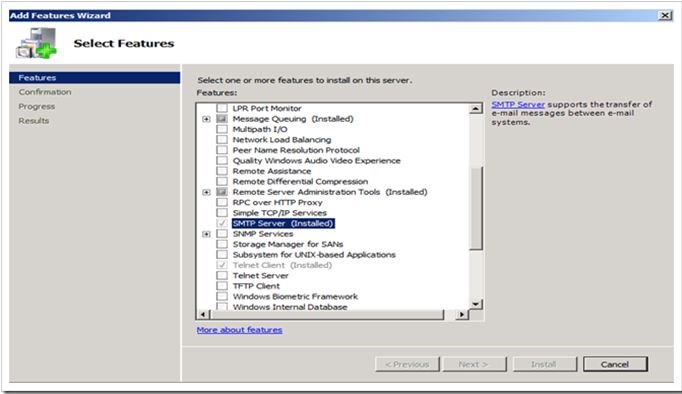
After installation go to IIS 6.0 Manager from Administrative Tools. Make sure that the SMTP Service is started on the SharePoint Server
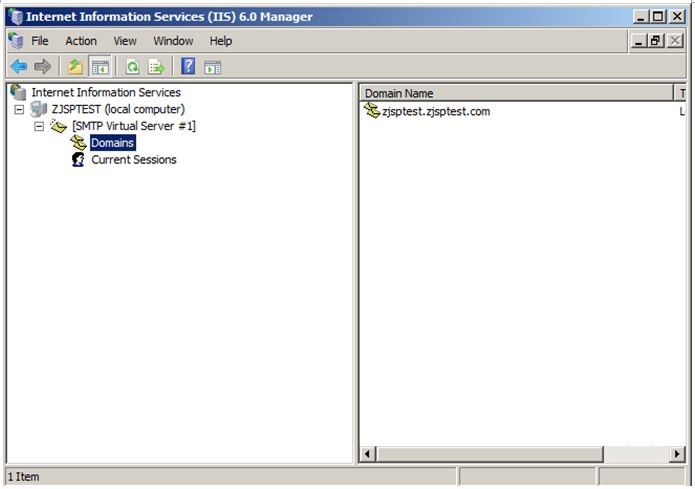
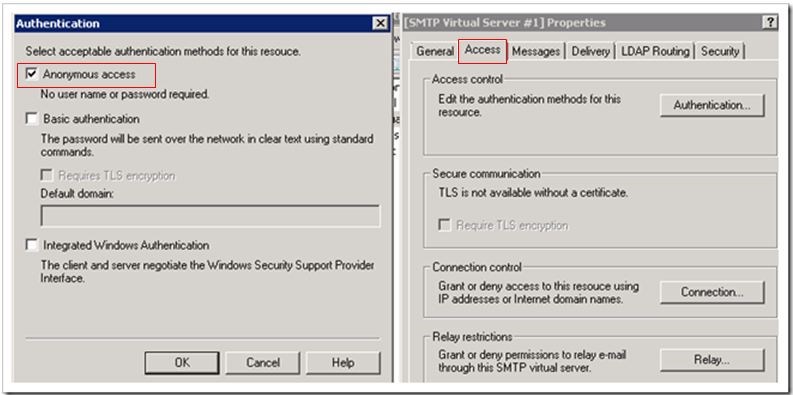
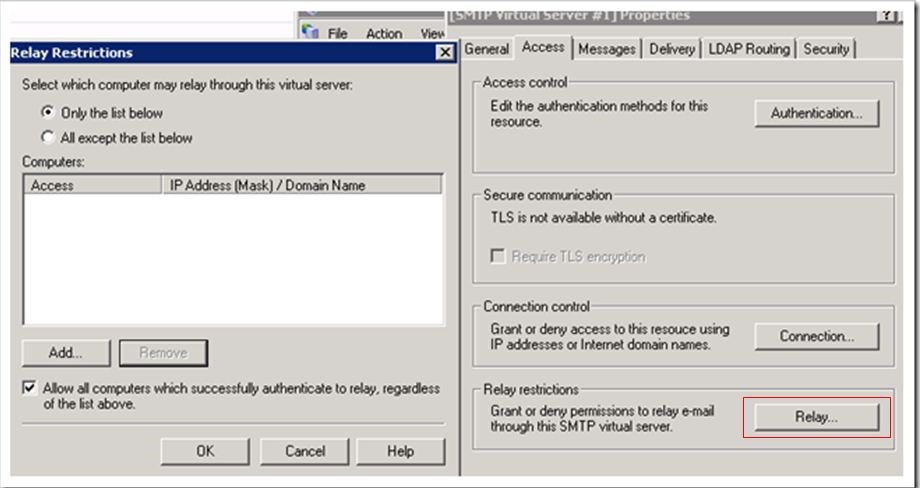
Right click on SMTP Virtual Server #1 and select properties.
Click on Authentication and ensure that Anonymous access is selected in Access Tab
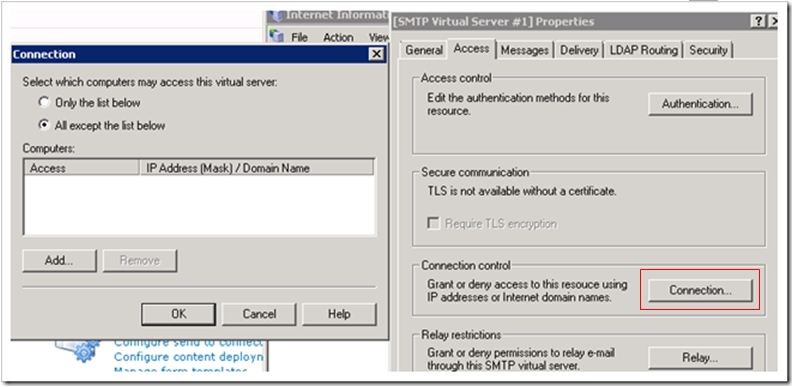
Next, click on Connection and ensure All except the list below is selected.
Finally, click on Relay, and ensure that Only the list below is selected and that Allow all computers which successfully authenticate to relay, regardless of the list above is also checked.
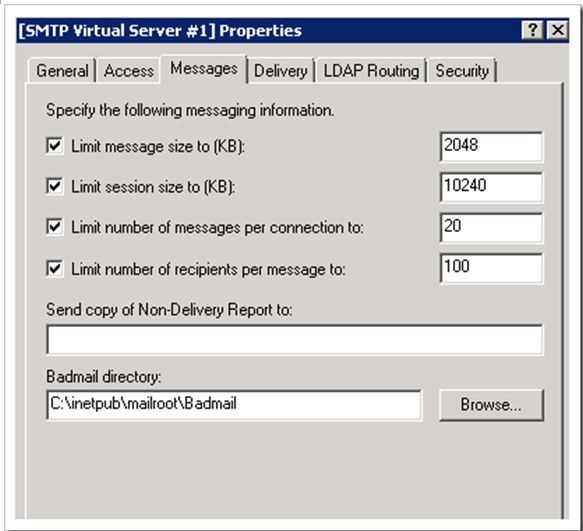
Now click on the Messages Tab and make any necessary adjustments that you see fit, such as potentially increasing the message size to allow for the delivery of larger emails with attachments into your SharePoint Libraries and Lists.
As well as the Delivery tab.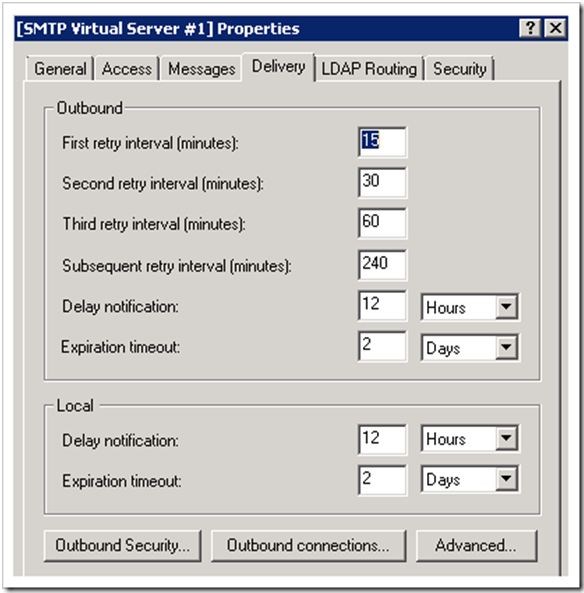
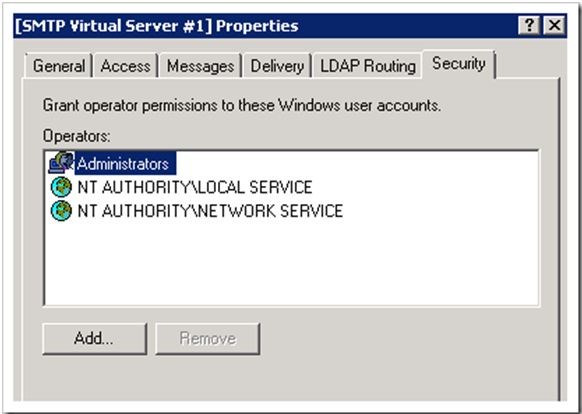
Lastly, the Security tab should list the default permissions as per the screenshot below:
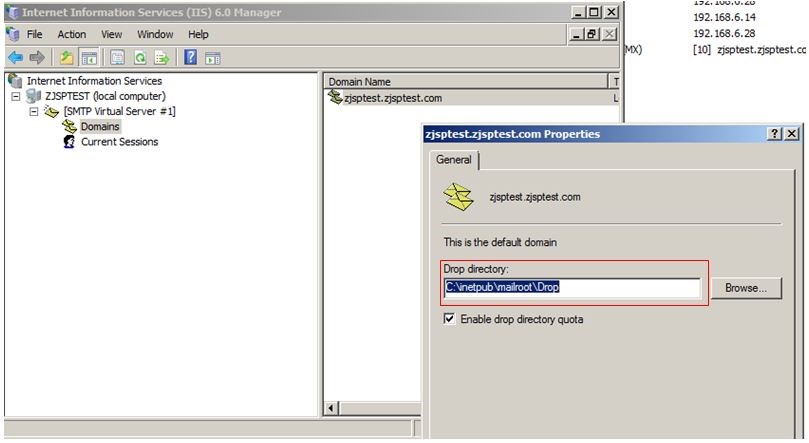
Next, on IIS 6 Manager, under the SMTP Virtual Server #1, there is a default submenu named Domains.
Right click on the Domain Name > select Properties and take note of the Drop directory.
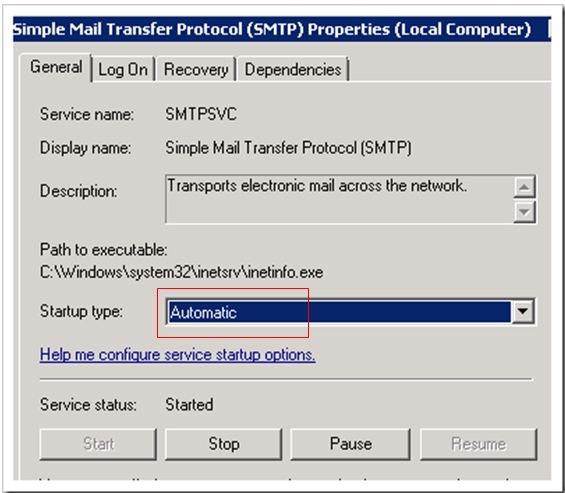
Finally, we now just need to confirm that our SMTP service is set to start automatically in the event the server is restarted.
Go into Start > Administrative Tools > Services.
Scroll down your list of services and ensure that the Simple Mail Transfer Protocol (SMTP) is set to Start-up type, Automatic.
We have now completed the configuration of our SMTP service on our SharePoint Server.
2. Create Send Connectors in Exchange 2010
The Send Connector is like a gateway through which outbound messages are sent. According to Microsoft TechNet:
An SMTP connector gives you more control over the message flow in your organization. Other reasons to use an SMTP connector are to set delivery restrictions or to specify a specific address space. If you use Exchange Server to route incoming e-mail to SharePoint lists and libraries, you must have an SMTP connector so that all mail that is sent to the SharePoint Server 2010 domain uses the SharePoint Server 2010 servers that are running the SMTP service.
Let’s begin by launching the Exchange Management Console > Organization Configuration > Hub Transport.
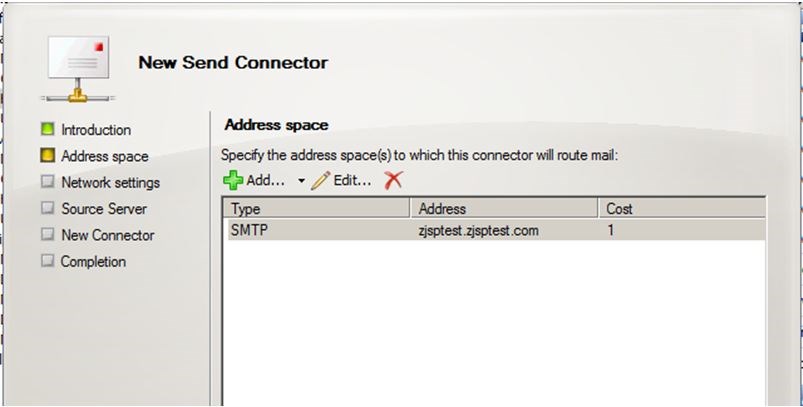
Click on Send Connectors > Actions > New Send Connector. Type in a description for your Send Connector and then select Internal as the type.

Click Add and enter the Address space as the fully qualified domain name of the server where the SMTP service is installed (i.e. your SharePoint Server)
Click Next; enter the IP address of the server which also hosts the SMTP service.

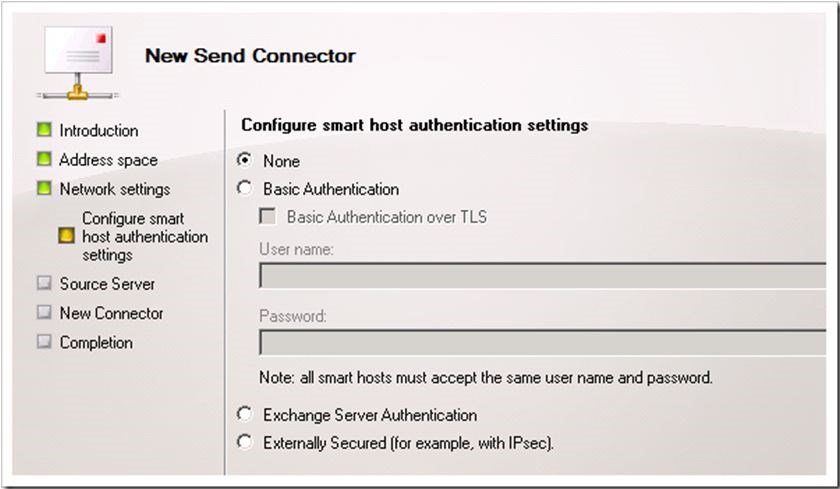
Select None as your smart host authentication settings
Click Next, ensure your Hub Transport Server has been added.
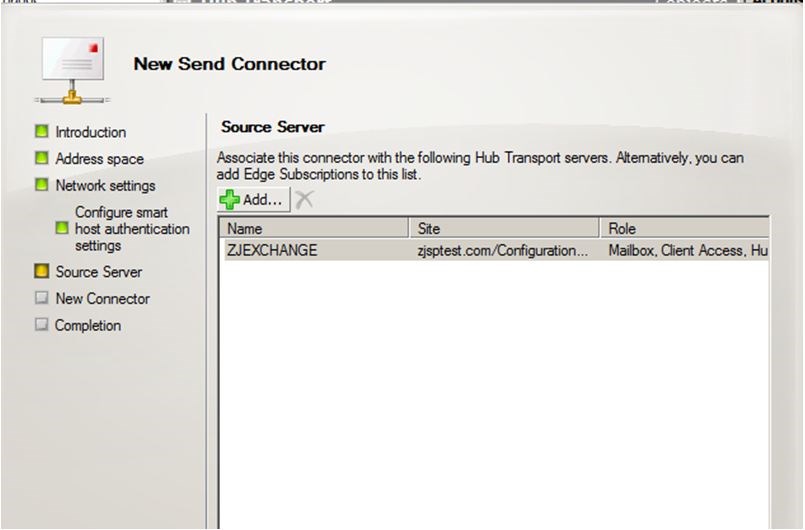
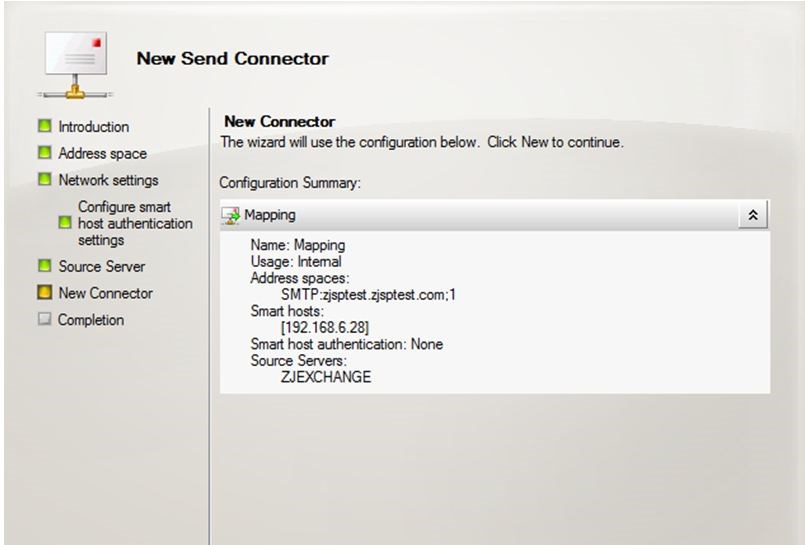
Click Next. Click New and then click Finish
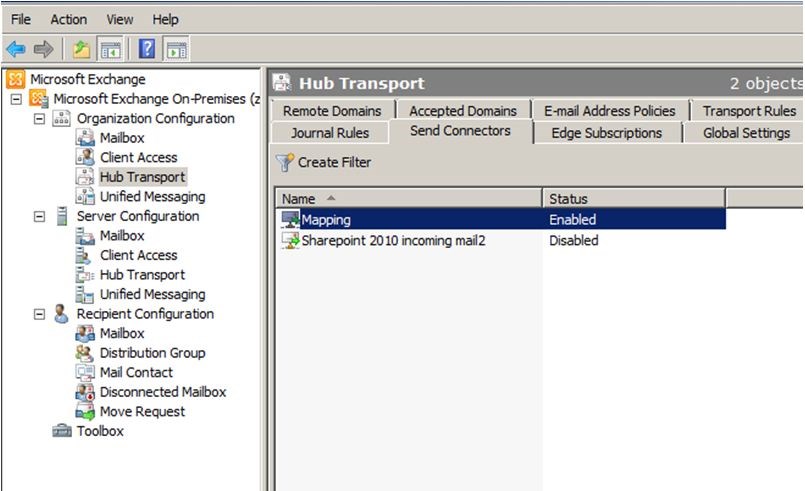
The end result will be that the Send connector will route email to the SMTP service sitting on our SharePoint Server.
3. Enable the Directory Management Service
If you want users can easily to locate email enabled libraries and lists from their Outlook Address book, then you need enable Directory Management Service.
Let’s begin by creating an Organizational Unit in Active Directory.
From your Active Directory server, click Start > Administrative Tools > Active Directory Users and Computers.
Right click on your domain object and select New > Organizational Unit
Type in a descriptive name, click OK.
The next step is imperative and very important that we get this right. We need to provide our Central Administration Application pool identity account specific permissions to our recently created Organizational Unit to be used for creating and deleting contacts for our SharePoint 2010 libraries and lists when they are either email enabled or email disabled.
Right click on the recently created Organizational Unit and click on Delegate Control. This will invoke the Delegation of Control Wizard.
Click Next.
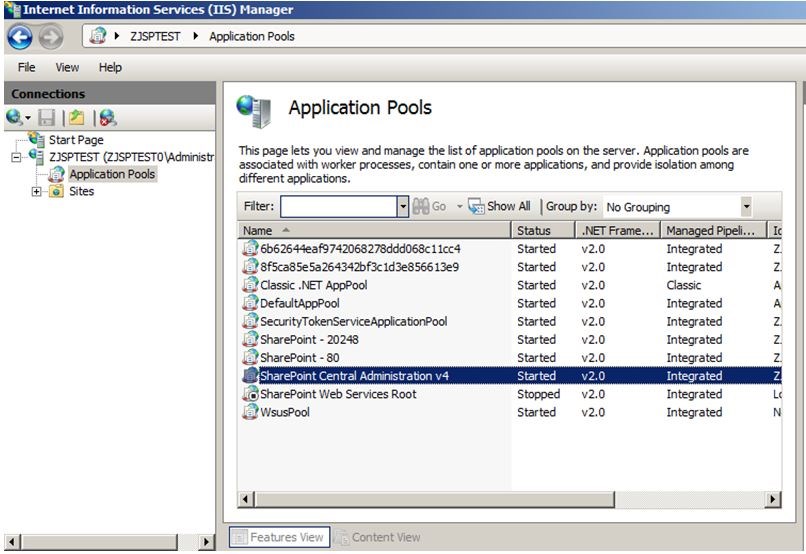
We will add the Central Administration application pool account which you can confirm form IIS manager as per the screen capture below.
Add the necessary Account.
Click Next.
Click Create a custom task to delegate.
Click Next.
Click Create a custom task to delegate.
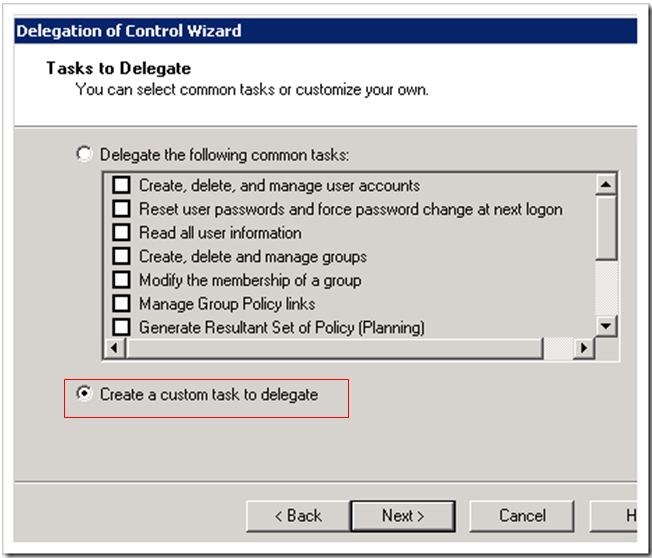
Click Next
Select This folder, existing objects in this folder, and creation of new objects in this folder.
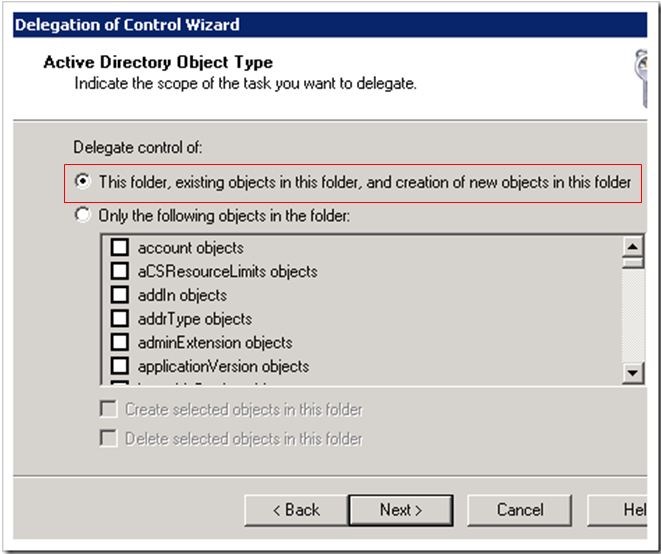
Click Next
Tick Create All Child Objects and Delete All Child Objects.
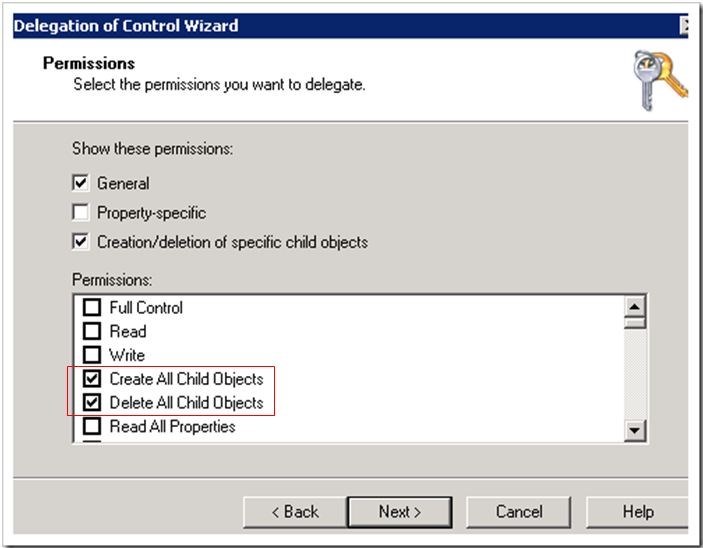
Click Next, Finish.
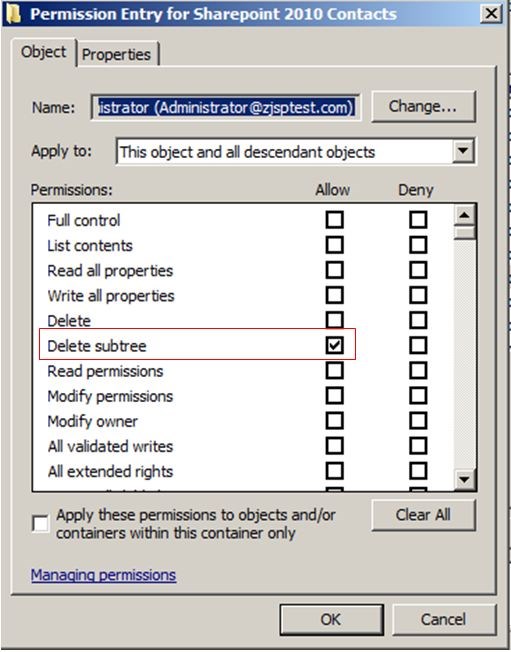
Before we finish off our configuration of AD DS and the Directory Management Service we need to provide our Central Administration application pool account with Delete Subtree permissions.
We need to ensure that Advanced Features from within Active Directory Users and Computers (ADUC) is active before we venture into the security tab of our SharePoint organizational unit. If you do not enable Advanced Features, the security tab will not be visible.
From within ADUC, click on View and select Advanced Features.
Right click on our SharePoint 2010 Organizational Unit and select Properties.
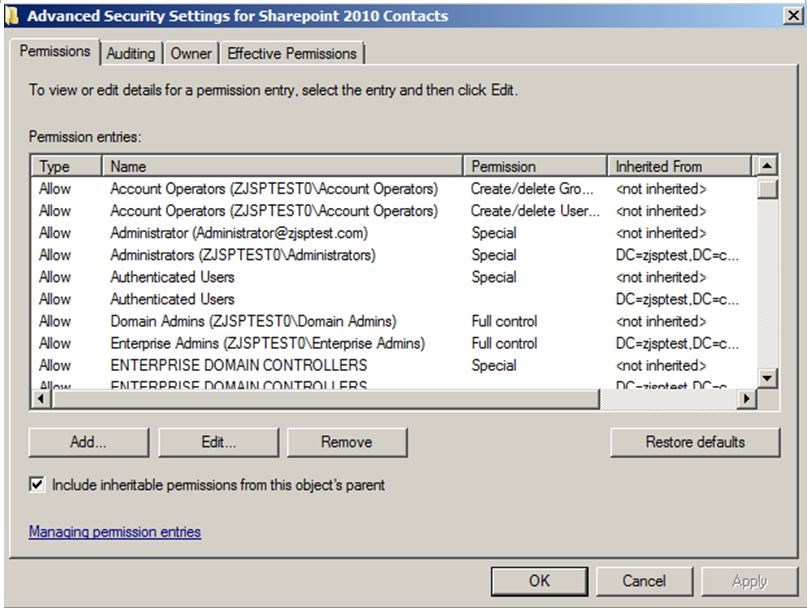
Click on the Security Tab > Advanced > and Edit the CA Application Pool Identity Account.
Tick Allow for Delete Subtree
Click on OK and Apply.
After assigning these permissions, you must run IISRESET on your Sharepoint server.
4. Configure DNS Manager.
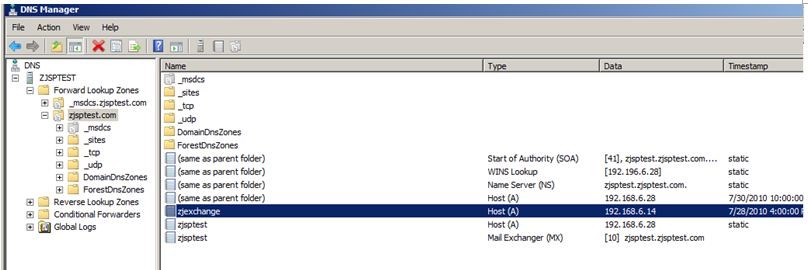
4.1. To create an resource record for a subdomain
If you are using Exchange Server and are routing e-mail internally in your organization, you must create a host (A) resource record in DNS Manager to associate DNS domain names of computers (or hosts) to their IP addresses.
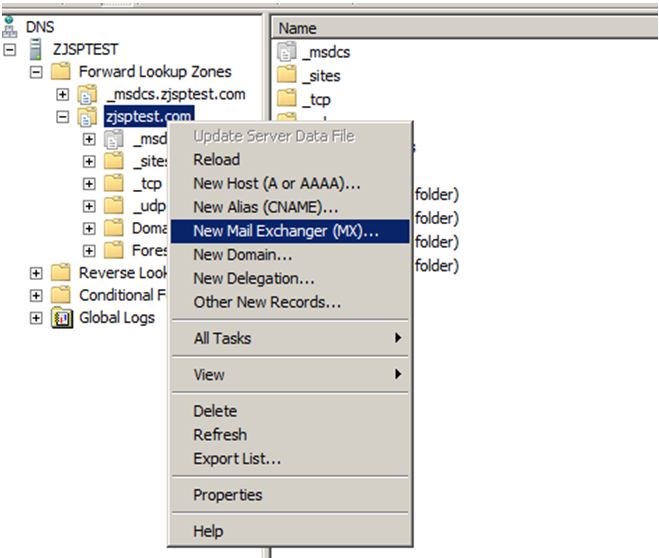
4.2 Add a mail exchange (MX) resource record to a zone.
To route e-mail from outside your organization to an SMTP server, you must use a Mail Exchange (MX) record.
Go to DNS manager>Forward Lookup Zones>New Mail Exchange (MX)…
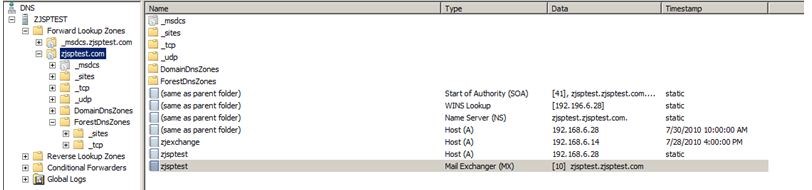
5. Test SMTP connectivity from SharePoint Server to Exchange Server
Make sure you can telnet the Exchange Server from your SharePoint Server of port 25(default setting assuming it is the same in your environment).
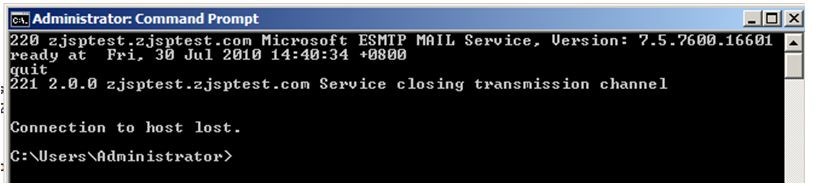
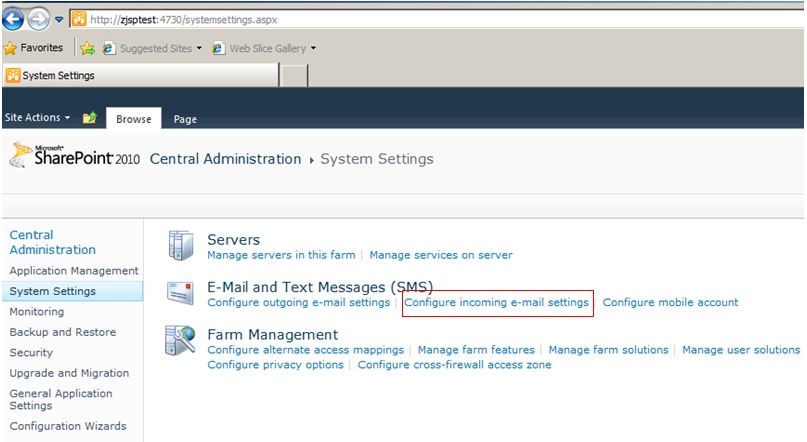
6. Configure Incoming E-Mail settings on CA of Sharepoint
Navigate to Central Administration > System Settings > Configure incoming e-mail settings.
Select Yes to Enable site on this server to receive e-mail
Select Advanced for Setting mode.
Select Yes to Use the SharePoint Directory Management Service to create distributions groups and contacts.
Enter your Active Directory container details, i.e. the Organizational Unit container that we created specifically for our SharePoint 2010 contacts.
Ensure that your SMTP server details are correct, this should be the fully qualified domain name of your SMTP service that was installed on your SharePoint Server
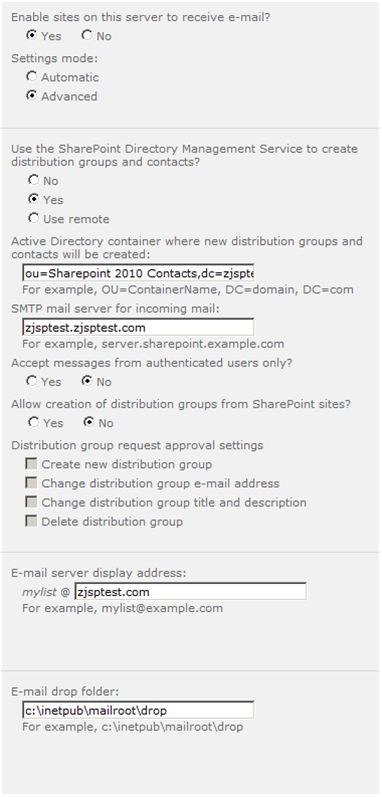
Click Ok
Please note that this process will configure the necessary permissions on the email drop folder listed in IIS 6 Manager. In summary, the following permissions are added;
WSS_Admin_WPG Full Control and
WSS_WPG Read & Execute / List folder Contents / Read
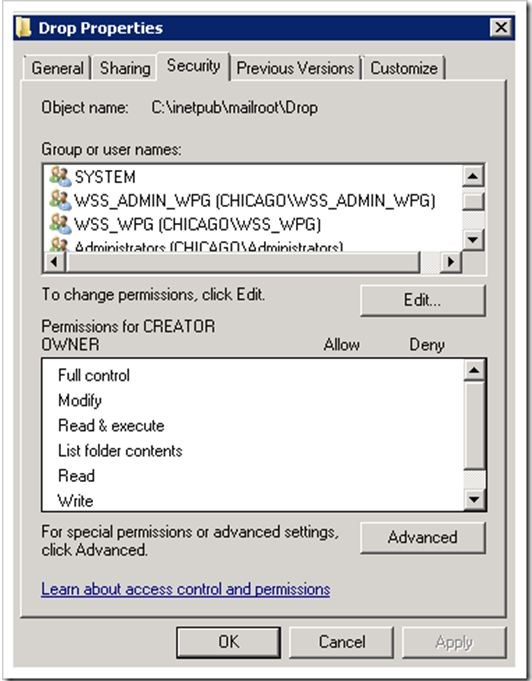
Ensure that these accounts are added successfully and on the rare occasion in which it isn’t, you will need to add them manually.
7. Testing the configuration
From within any document library or list, click on Library / Library Settings.
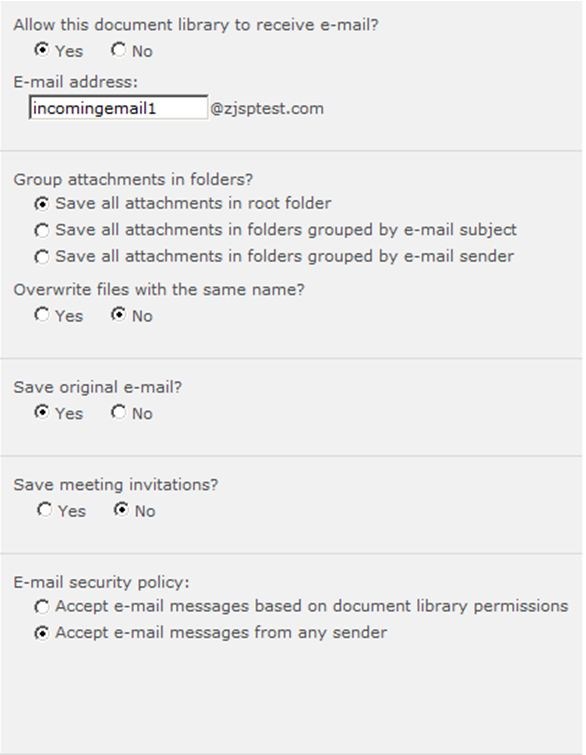
Click OK.
From your email client, send a test email to the document libraries’ external SMTP address.
Navigate to your recently email enabled document library and hopefully after a couple of minutes (SharePoint Job timer service delay) you should have received your test email
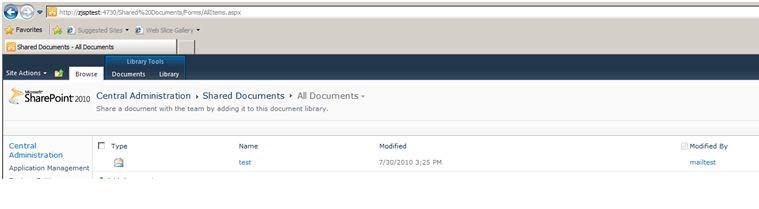
7.1. Debugging:
If you receive an error during test, please check permissions related organization unit according to steps below.
1. Make sure contact is created on ADUC
Navigate back to ADUC and confirm that the contact is created under the SharePoint 2010 Contacts Organizational Unit.
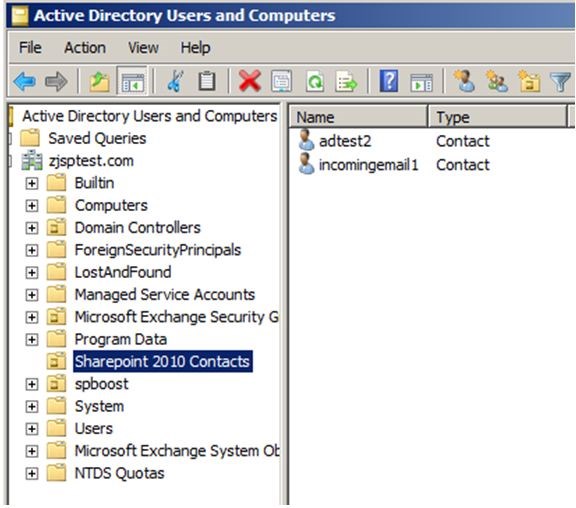
2. Make sure Exchange 2010 server is also listed there with an SMTP address against it.
Launch your Microsoft Exchange Management console and navigate to Recipient Configuration / Mail contact.
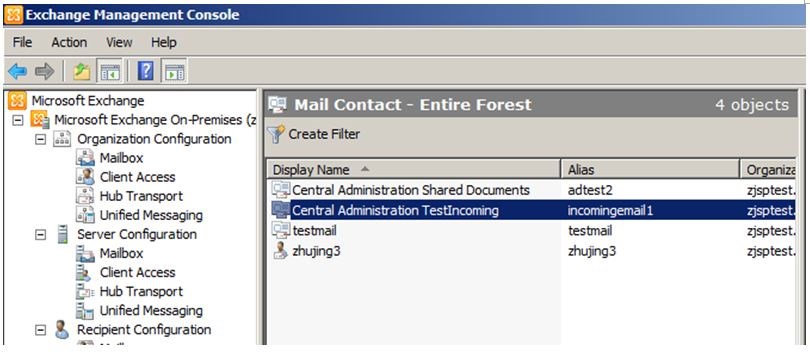
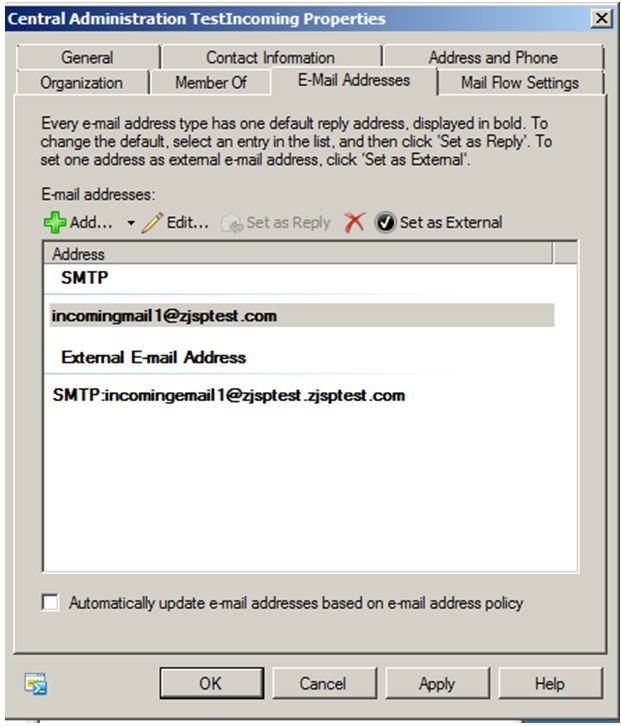
Right click on the Contact and select Properties / E-Mail Addresses.
Ensure that both an internal and external routable email address is listed.
References:
http://technet.microsoft.com/zh-cn/library/cc262947.aspx
http://technet.microsoft.com/en-us/library/cc262947.aspx
Hi Gottfried,
It is decided by the domain you selected during ur configuration.
If you select domain.com, you can send emails to sharepoint with domain.com. While if you select a subdomain, you can only send emails to sharepoint with that subdomain.
Best regards,
Jane
Hi Gabe,
As far as I’m concerned, there are two issues that may cause ur problem.
The first is about permission, please refer to the “7.1 Debugging” part of this blog to see more. The second is about SharePoint job timer service delay, pls refer to the following sentense of this blog – “Navigate to your recently email enabled document library and hopefully after a couple of minutes (SharePoint Job timer service delay) you should have received your test email.”
Hope this helps.
Best Regards,
Jane
Hai,
I have an issue it is possible to send a mail to the security groups ” with out ” enable the Email.It is possible.If any information is there please share me.
Thanks,
Suresh